What’s newFor students
My teachers: save your favourites and book again in one tap
Found a teacher you click with? Keeping lessons going with them is now much quicker.
Save teachers with the heart. Tap the heart on any teacher — in the teacher list, on their profile, or on the screen you see right after a lesson — and they're added to My teachers.
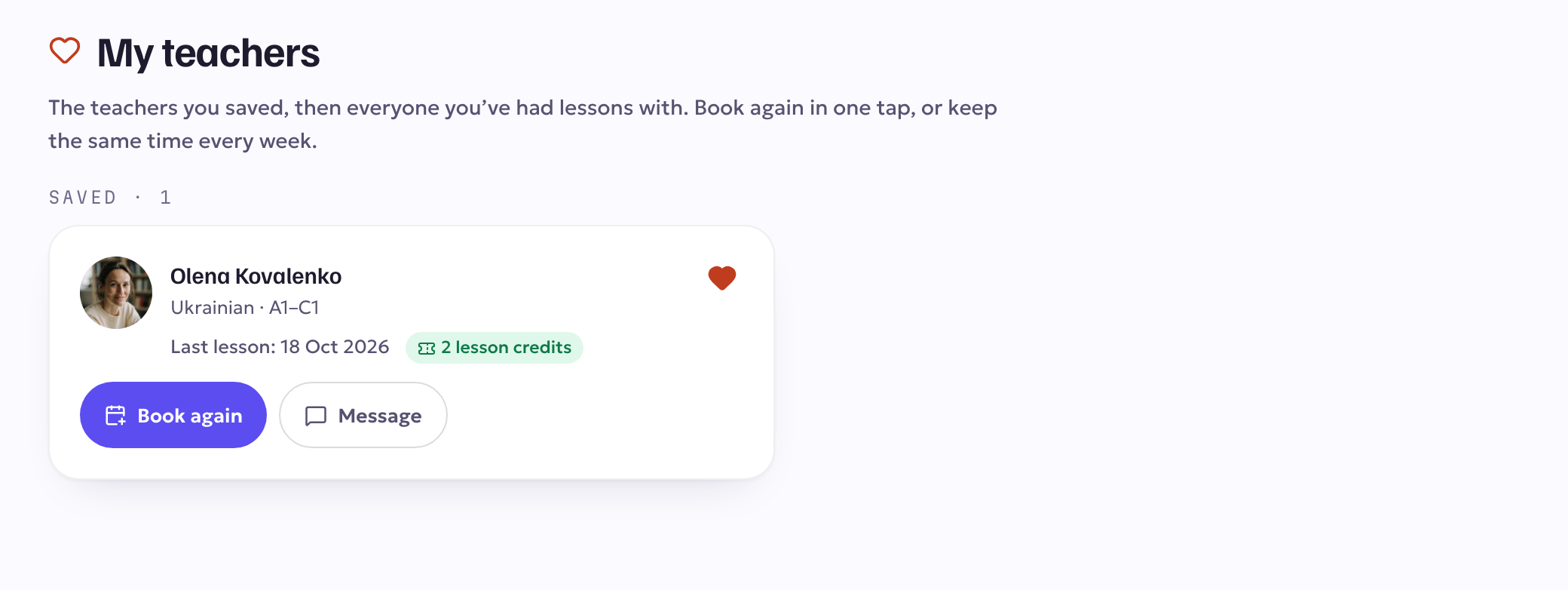
My teachers, on your dashboard. The teachers you saved come first, followed by everyone you've had lessons with. For each one you see your next lesson (or your last one), how many lessons you've had together, any lesson credits you still have with them, and three buttons:
- Book again opens their booking card on the same lesson length you took last time, with their next free times right there. You pay the usual way — a lesson credit first if you have one, otherwise your balance.
- Same time every week books the same weekday and time for the next 4, 8 or 12 weeks. Before you confirm, you see which weeks are free and which aren't, and you only pay for the weeks you pick.
- Message opens your conversation with them.
You'll find the full list under My teachers in the menu.
Turn a booked lesson into a routine. On Lessons, an upcoming lesson now has Book this time weekly, so you can keep that slot every week without waiting for the lesson to happen first.
A gentle reminder. If a week passes after a lesson and nothing is booked, we'll send you one reminder with a Book again button — never more than one between two lessons. You can switch these reminders off in Account → Notifications → Reminders to book your next lesson.
Moving a lesson is one tap from your dashboard. Move on an upcoming lesson now opens the time picker for that lesson straight away. The rules for moving a lesson haven't changed.