What’s newFor students
How the waiting list for live courses works
When a live course is full, you can join its waiting list. If a seat frees up, it's held for you so nobody else can take it, and you decide whether you want it.
Joining the waiting list
Open the live course. When every seat is taken, you see Every seat is taken and the button Join the waitlist. Press it. Joining is free and you can leave at any time.
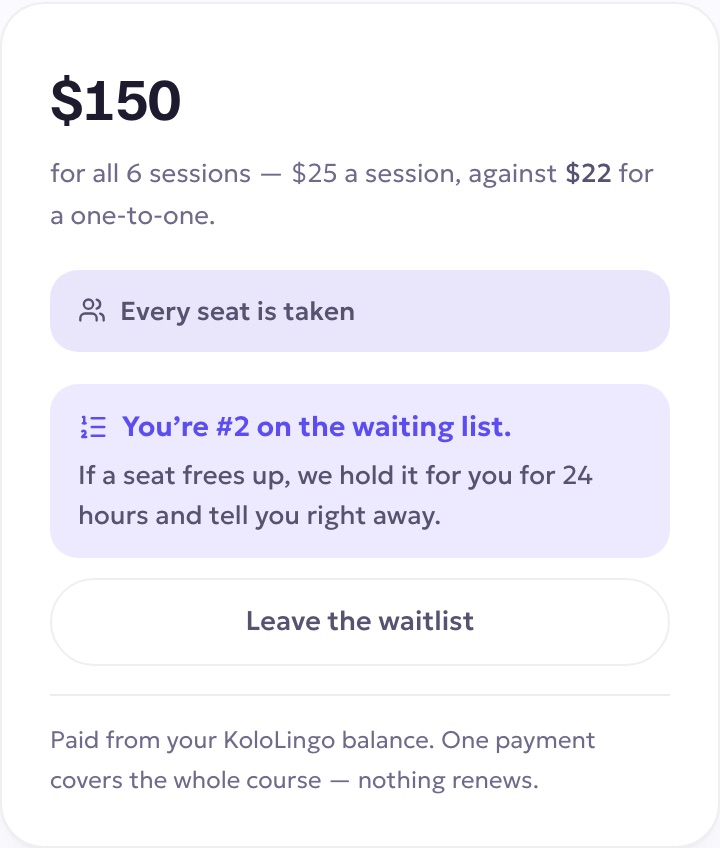
You then see your place on the waiting list.
When a seat frees up
If someone leaves the class, the seat goes to the first person on the list. When that's you:
- you get a notification and an email;
- on the course page you see A seat is free for you, with the time you have to claim it, usually 24 hours (less if registration closes sooner);
- while it's held, the class shows as full to everyone else.
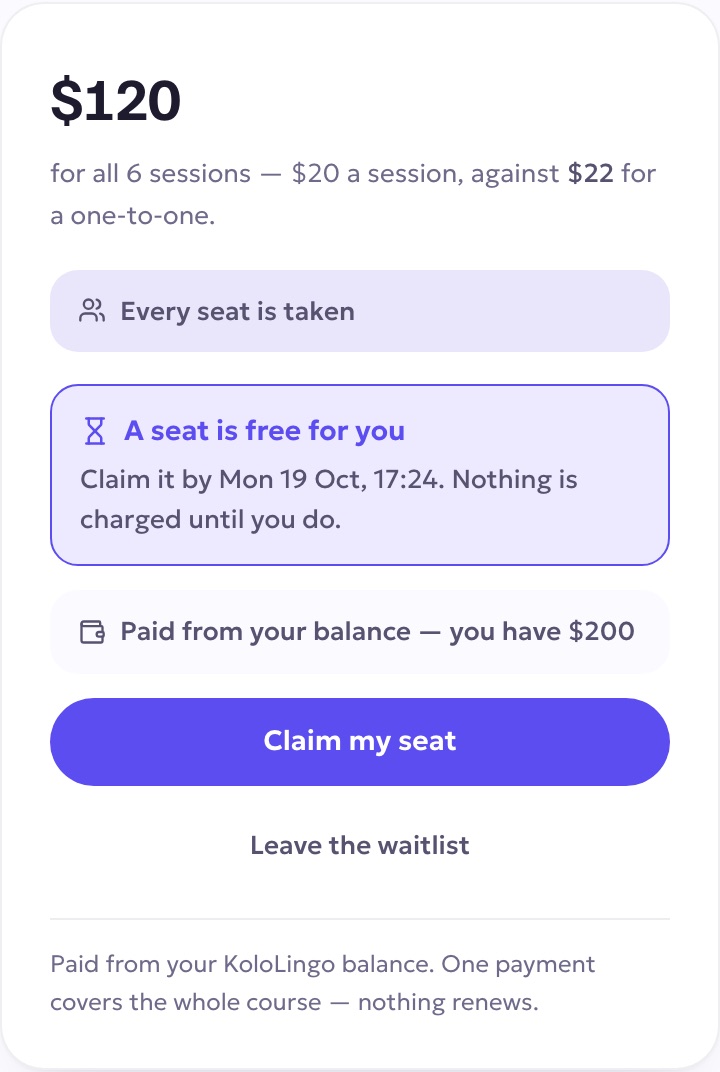
To take the seat, press Claim my seat. It's paid from your KoloLingo balance like any live course. If your balance is short, you can top up with a card or crypto, and the seat stays held while you do. Nothing is charged until you claim.
If you don't claim it in time
The seat passes to the next person on the list, never back to you, and the course page tells you so. If you still want to join, press Join again: you go to the end of the list.
Leaving the list
Press Leave the waitlist on the course page at any time.