What’s newFor students
How to give lessons as a gift (students)
Gifts let you give lessons to a friend or someone in your family, with a personal message. They open the gift from an email and the amount goes to their KoloLingo balance, so they can book the lessons they like.
Where you find it
Open your Wallet and choose Give lessons as a gift, or go straight to Gifts. On a teacher's profile you can also press Give lessons with … as a gift: the form then starts with that teacher picked.
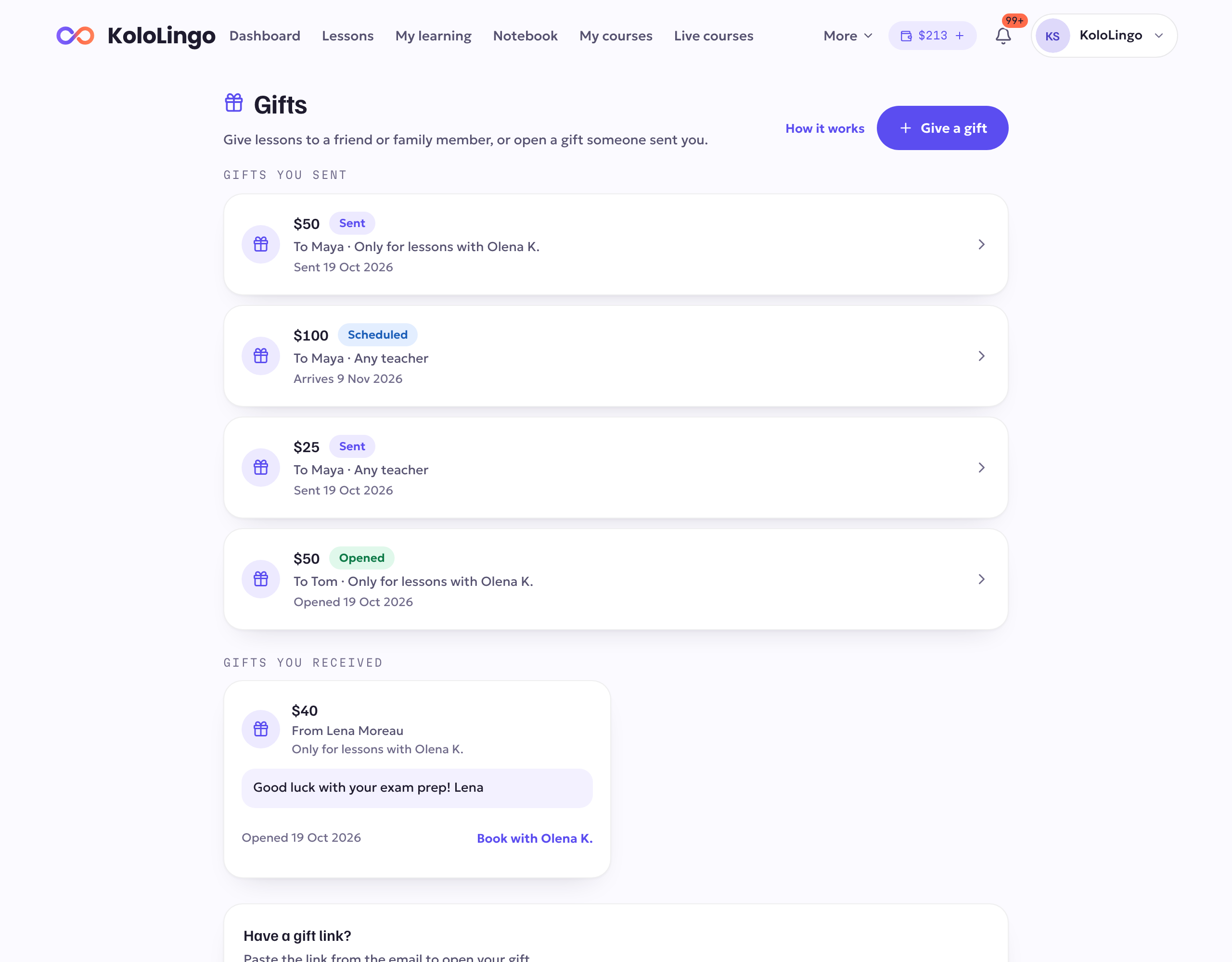
Giving a gift
- Choose an amount: $25, $50, $100, or Other amount for any whole amount from $10 to $500.
- Who can it be used with? Choose one of two:
To give lessons with one particular teacher, open that teacher's profile and press Give lessons with … as a gift.- For lessons with [teacher] only. The gift can only be spent with that teacher: their lessons, packages, courses, group classes and voice reviews. You see this choice when you start from a teacher's profile.
- Any teacher (added to their balance). The gift becomes ordinary balance they can use with any teacher on KoloLingo.
- Who is it for? Write their name and their email address.
- Add a message if you like (up to 500 characters). They see it in the email and when they open the gift.
- When should it arrive? Right away, or On a date: it arrives at 08:00 your time that day.
- How you pay: From my balance, or Card or crypto. With card or crypto you pay on the next page, just like a top-up. Money on your balance that is itself a gift for one teacher can't pay for a gift.
- Press the button to pay. You get a receipt like for any purchase.
In the KoloLingo app you can open a gift and see the gifts you sent and received. To give one, use kololingo.com in your browser.
What they get
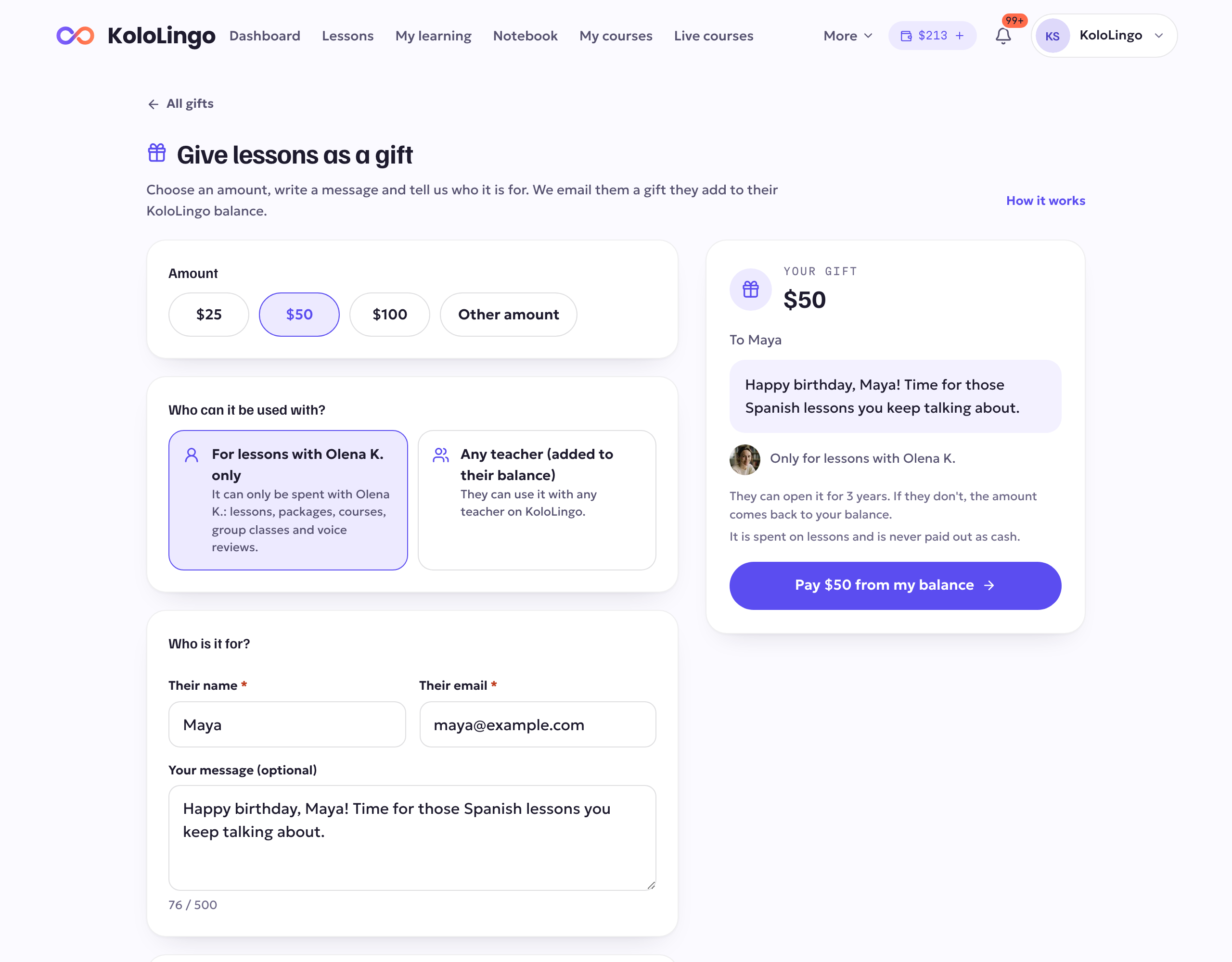
They receive an email with your name, your message and a button to open the gift. Opening it needs a free KoloLingo account: they sign in or create one, and the amount goes straight to their balance.
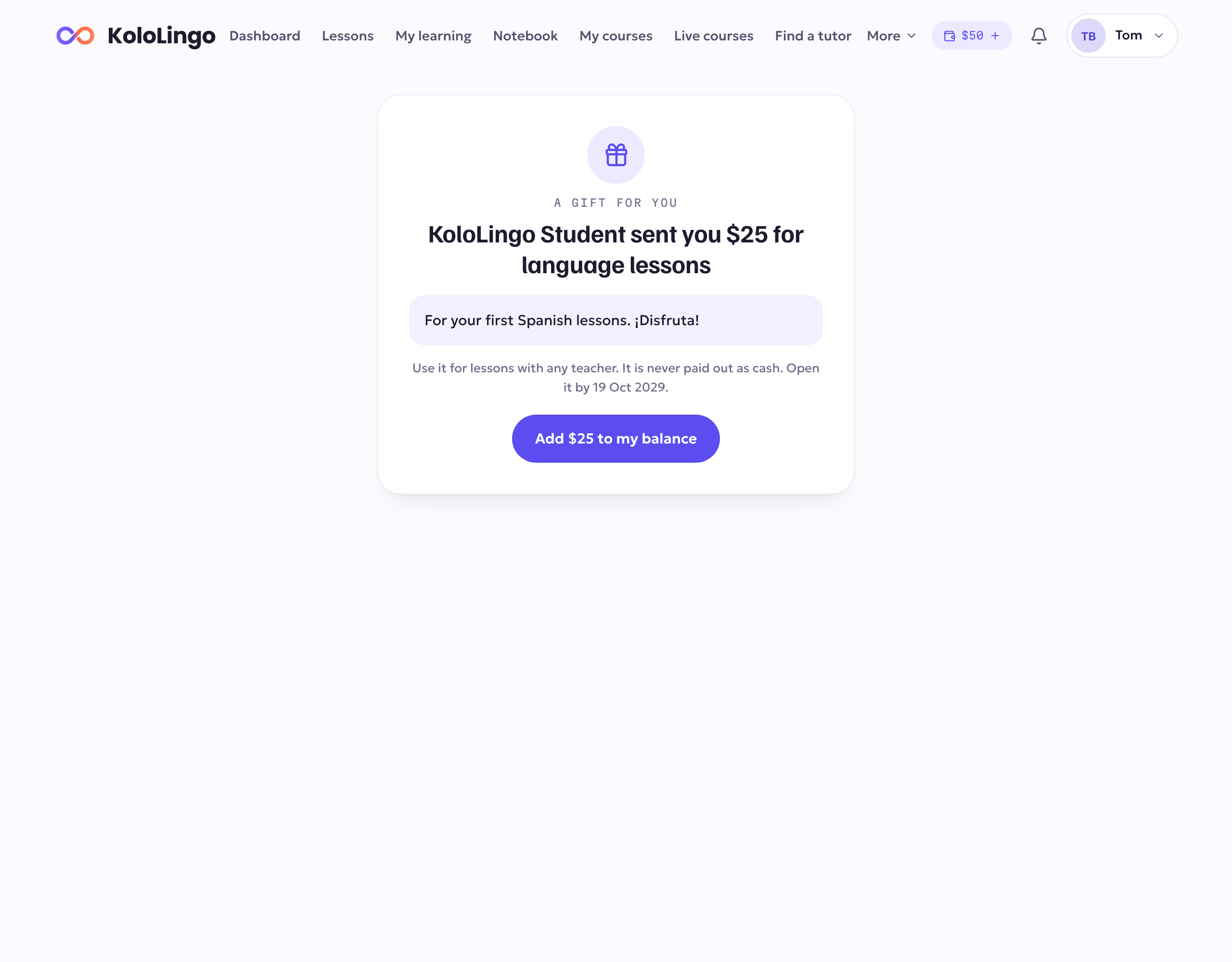
What they can spend it on depends on what you chose:
- For lessons with one teacher only: their balance shows it apart, as "$50 for lessons with [teacher]". It pays that teacher's lessons, packages, courses, group classes and voice reviews, and it is used first whenever they pay that teacher. It can't be used with anyone else. If a lesson paid with it is cancelled or refunded, the money goes back to that same gift balance for that teacher.
- Any teacher: it is ordinary balance for lessons with any teacher, including packages and group classes.
A gift is never paid out as cash.
Following your gift
Gifts lists every gift you sent with where it stands: Waiting for payment, Scheduled, Sent, Opened, Cancelled or Not opened in time. Open one to see the details and your receipt.
- They can't find the email? Press Send again. We send a new link and the old one stops working. You can correct the email address at the same time.
- Changed your mind? As long as the gift isn't opened, press Cancel the gift. The amount goes to your KoloLingo balance, as ordinary balance, even if the gift was for one teacher.
- Never opened? A gift can be opened for 3 years. After that, the amount comes back to your balance by itself (as ordinary balance) and we let you know.
Opening a gift someone sent you
Open the link in the email and press Add … to my balance (for a gift for one teacher: Add … for lessons with [teacher]). If you have the link but not the email, go to Gifts, paste it under Have a gift link? and press Open the gift. The gifts you opened are listed under Gifts you received, each with what it can be used for.
A gift for one teacher appears in your Wallet as "$… for lessons with [teacher]", next to what you have for any teacher. When you book that teacher, it is used first; the rest of your balance stays for anyone else.
If that teacher leaves KoloLingo, what is left on the gift becomes ordinary balance for any teacher, and we let you know. Your Wallet shows it as Gift unlocked. Lessons it already paid for keep their usual refunds, and a refund then comes back as balance for any teacher. A gift for a teacher who has left that you haven't opened yet opens as balance for any teacher.
A gift bought in the app and refunded by the app store. If the person who gave you a gift gets their money back from Apple or Google after you opened it, the part of the gift you haven't used yet comes off your balance, and we let you know. Lessons it already paid for stay paid, and nothing else on your balance is touched. If you gave the gift, the part already used stays on your balance to settle, and you can't buy in the app until your balance is back above zero.