What’s newFor students
How to ask your teacher for a voice review (students)
Voice reviews give you a teacher's ear between lessons. Record yourself answering a question, and your teacher listens and sends back a voice note and written corrections. It's ideal when you don't have time for a full lesson but want to keep speaking.
Where you find it
Open My learning and choose Voice reviews.
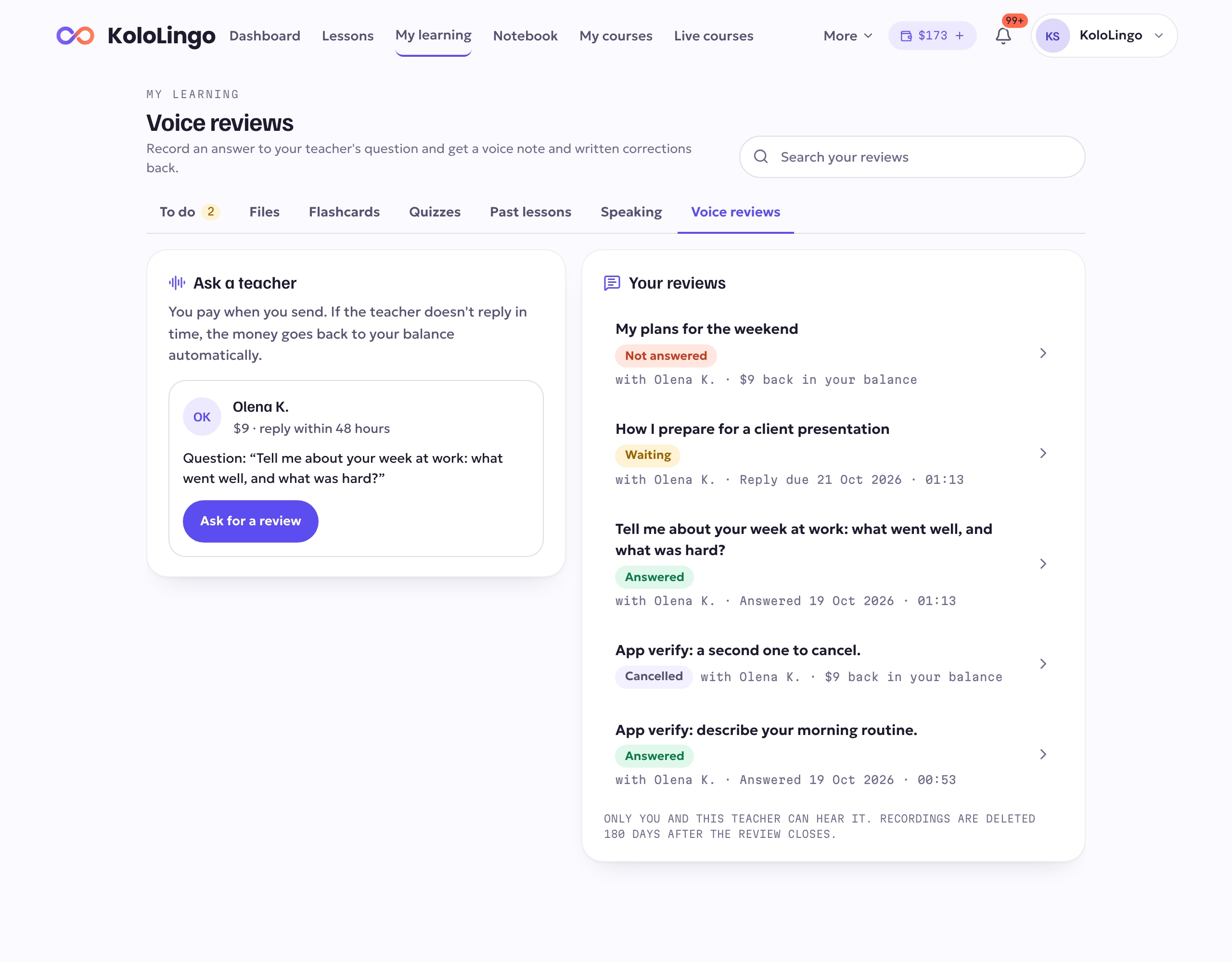
On the left you see Ask a teacher: the teachers you've had a lesson with who offer voice reviews, with their price and how quickly they reply. Some teachers also show a question they'd like you to answer.
On the right you see Your reviews: every request you've sent, with where it stands.
Asking for a review
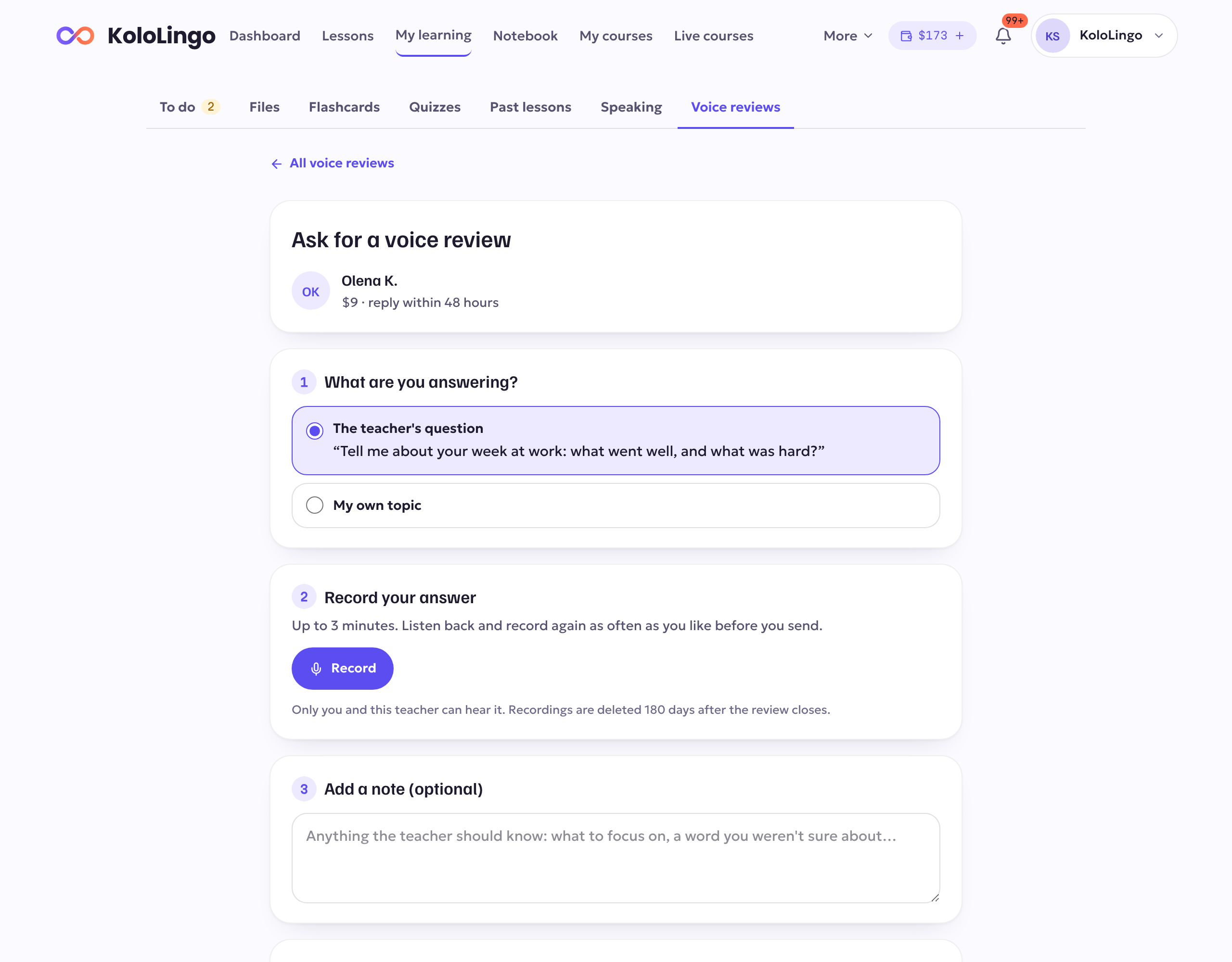
- Press Ask for a review next to the teacher.
- Choose what you're answering: the teacher's question, or your own topic. If it's your own topic, write it in a sentence or two.
- Press Record and speak (up to 3 minutes). Listen back, and press Record again as often as you like. The first time, your browser or phone asks for permission to use the microphone.
- Add a note if you want to: what to focus on, or a word you weren't sure about.
- Press Pay and send. The price is paid from your balance.
If your balance is too low, the page tells you how much is missing and offers a top-up of exactly that amount. Top up first, then record.
While you wait
Your request shows Waiting with the time the teacher replies by. When the teacher starts working on it, it shows In review.
- Changed your mind? Open the request and press Cancel and get a refund. You can do this until the teacher starts, and the full price goes straight back to your balance.
- No reply in time? If the teacher doesn't reply by the deadline, the full price goes back to your balance automatically and we let you know.
- The teacher can't take it? Sometimes a teacher declines a request, for example when they're away. You get the full price back, and you see their reason if they gave one.
Your review
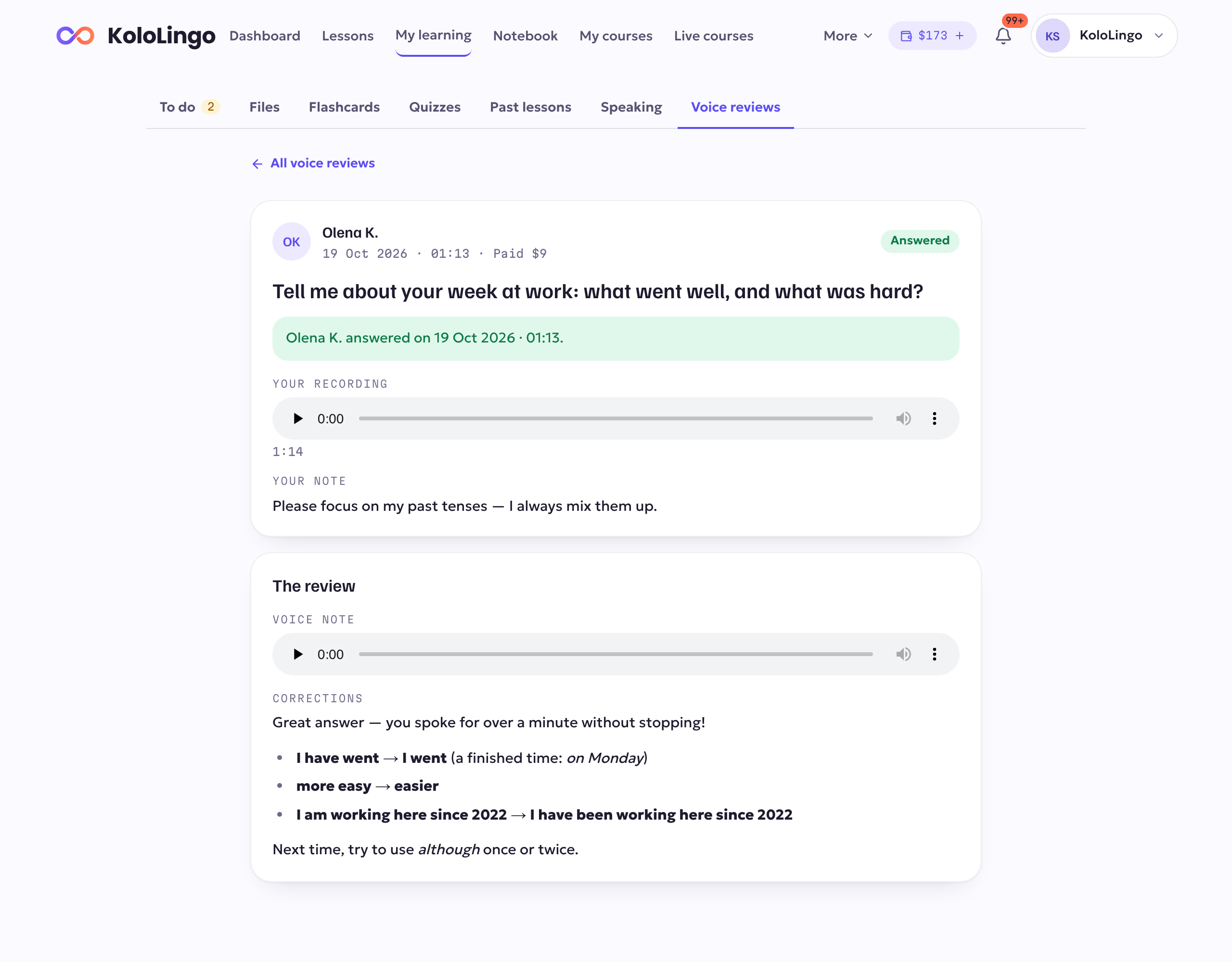
When the teacher answers, you get a notification and an email. Open the review to:
- listen to the voice note from your teacher;
- read the corrections, written out with the right sentences;
- listen to your own recording again.
Your recordings
- Only you and that teacher can hear your recording and their reply.
- Recordings are deleted 180 days after the review is closed. The written corrections stay.
- Need help with a payment? Contact support from the Help page.