What’s newFor teachers
Give a lesson back, and package lessons: how it works
Sometimes the right thing is to give a student a lesson back, or a little more time. These tools let you do it yourself, and KoloLingo keeps the money right.
Give a lesson back
Open the lesson from Lessons. On a lesson that was marked as a no-show, or that counted as taught, you see Give this lesson back.

- Add a note if you like. It stays with the lesson.
- Press Give lesson back, then Yes, give it back.
What happens:
- The student gets the lesson back as a lesson credit to book again with you, and an email.
- What you earned on that lesson waits again and is paid when the student takes the new lesson. You are paid once for the one lesson they paid for.
- If you were already paid out for it, the amount is taken from your next payout.
You can give each lesson back once. A lesson with a second teacher or student, or one with a reported problem, can't be given back here: write to support.
More time for a package
Open Students, then Package lessons. You see each student's unused lessons from packages and the last day to book them.

- Press More time next to the package.
- Choose a new last day to book (later than now, up to a year ahead).
- Add a reason if you like and press Save. The student is told.
Move lessons to another student
In the same list, press Move.
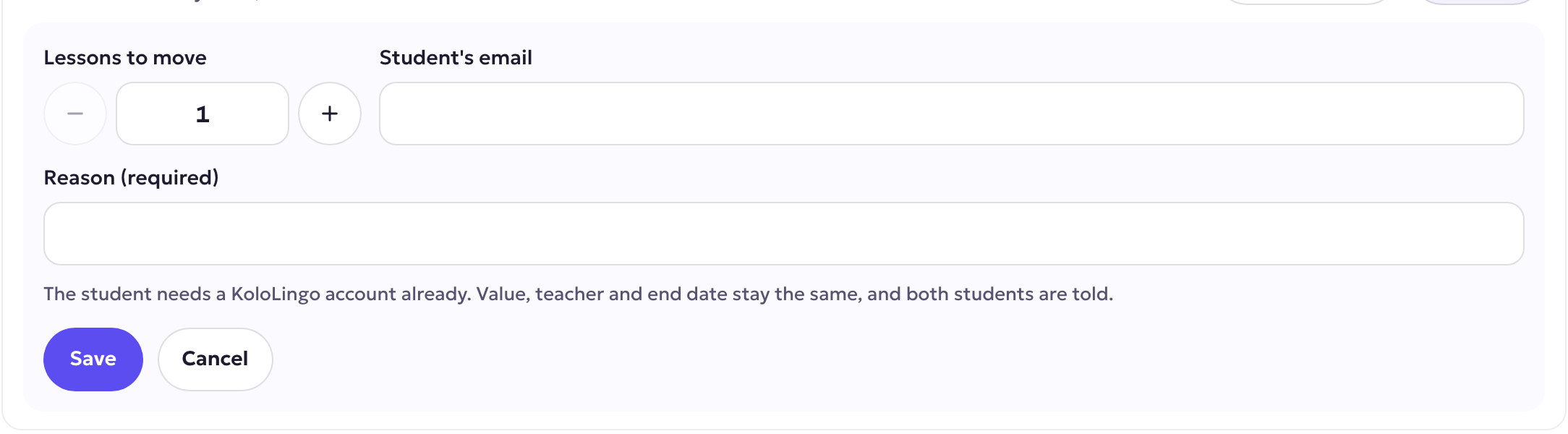
- Choose how many lessons to move.
- Enter the email of the other student. They need a KoloLingo account already.
- Write a short reason, for example "her sister takes the lessons instead", and press Save.
The lessons keep their value, their teacher and their end date. Both students are told.
Running a school?
If you own a school on KoloLingo, you can do the same for your teachers' students, and ask us to count a student who joined another way as your school's student. You find both on your School page.