What’s newFor teachers
How to add your tax details
If you live in the European Union or the United Kingdom, KoloLingo now asks you for a few tax details. This guide explains why, what we ask, and where to add them. It takes about two minutes.
Why we ask
Tax rules for online platforms require us to collect these details:
- in the EU, the DAC7 directive;
- in the UK, the equivalent rules.
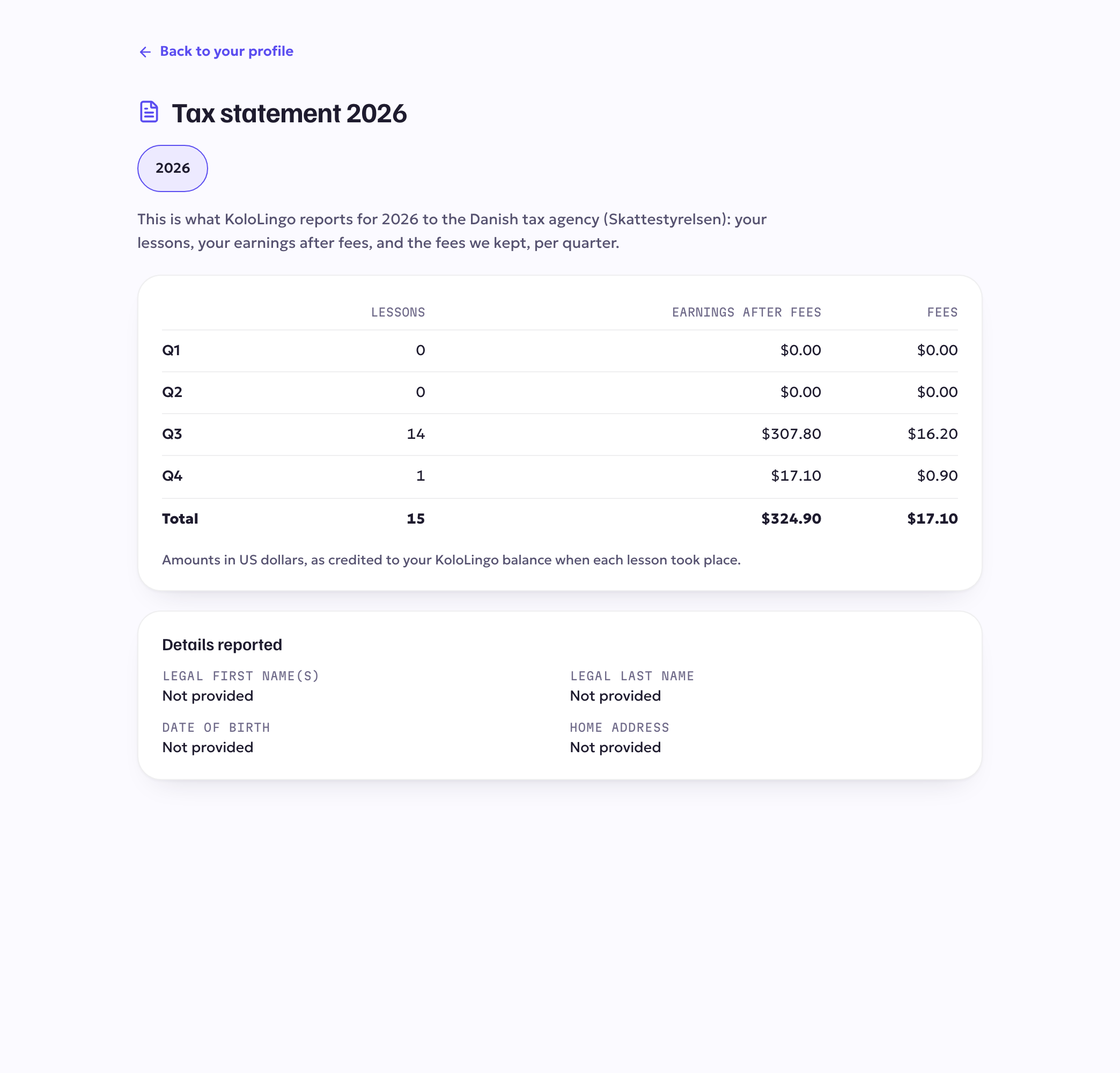
Once a year we report what you earned through KoloLingo to the Danish tax agency (we are a Danish company). It shares the information with the tax authority of your country, and you get a copy of exactly what we reported.
Your details are encrypted and are never shown on your profile.
What we ask
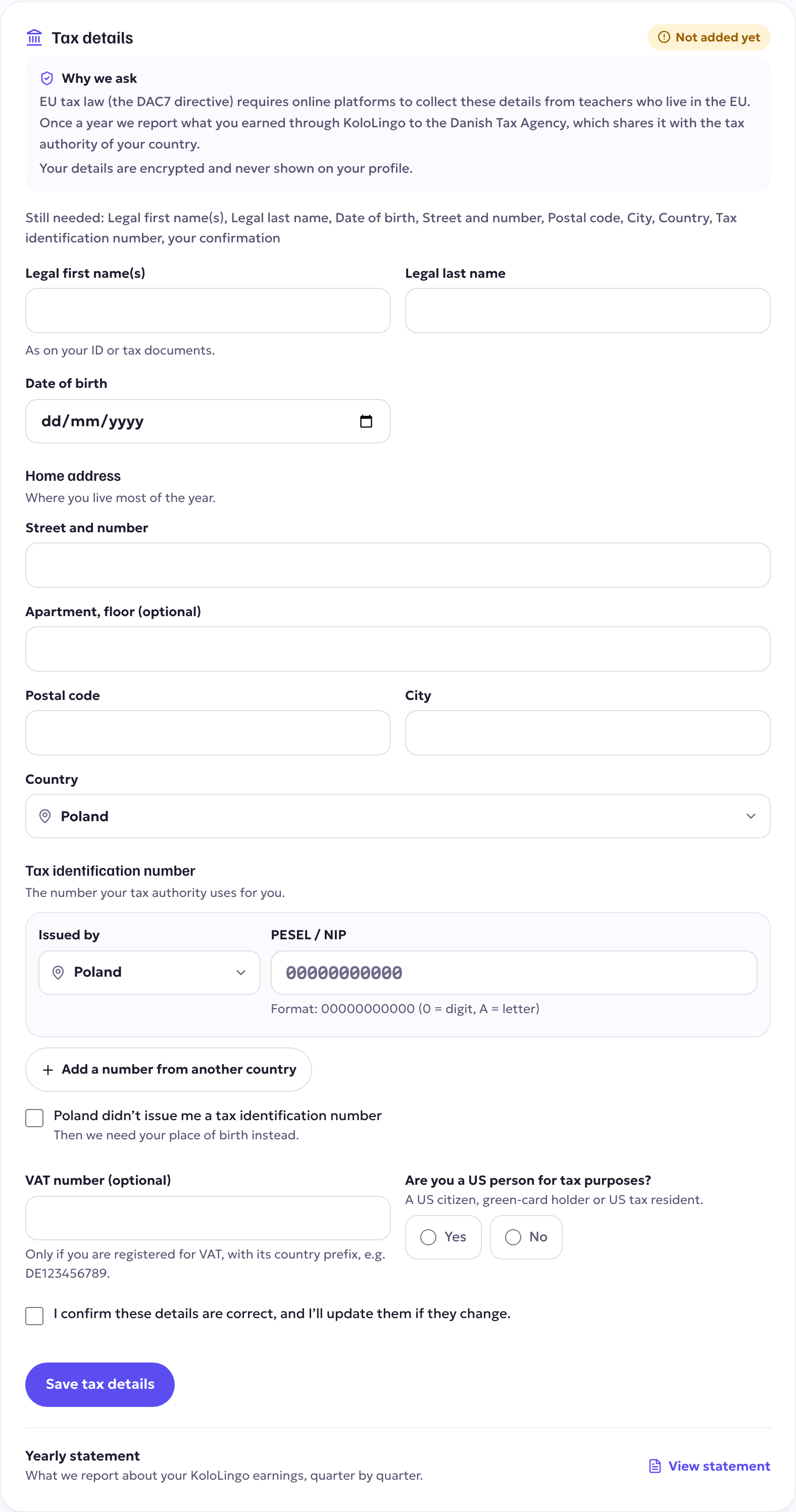
- your legal first and last name, as on your ID;
- your date of birth;
- your home address;
- your tax identification number and the country that issued it. The form uses your country's own name for it, for example Steuer-ID, codice fiscale, NIF or PESEL, and shows its format;
- your VAT number, only if you are registered for VAT;
- whether you are a US person for tax purposes.
If your country never issued you a tax number, tick "didn't issue me a tax identification number" and give your place of birth instead.
Where to add them
- Open Profile in your teacher menu and scroll to Tax details. On the app, it's Earnings → Payout settings → Tax details.
- Fill in the fields. The tax number is checked as you type, and again with the EU's official checking service when you save.
- Tick "I confirm these details are correct" and press Save tax details.
If they're missing
We'll remind you by email after 14 and 30 days. If your details are still missing 60 days after the first request, EU tax law requires us to pause new payout requests until they're complete.
Nothing you have earned is lost: the moment you save complete details, payouts work again.
Your yearly statement
Under Tax details → View statement you can see exactly what we report for each year: your lessons and your earnings after fees, quarter by quarter.