What’s new
Learning plans: your goals, and how you'll get there
After your first lesson, you and your teacher can now agree on what you want to reach — and write it down in a simple learning plan that you both see.
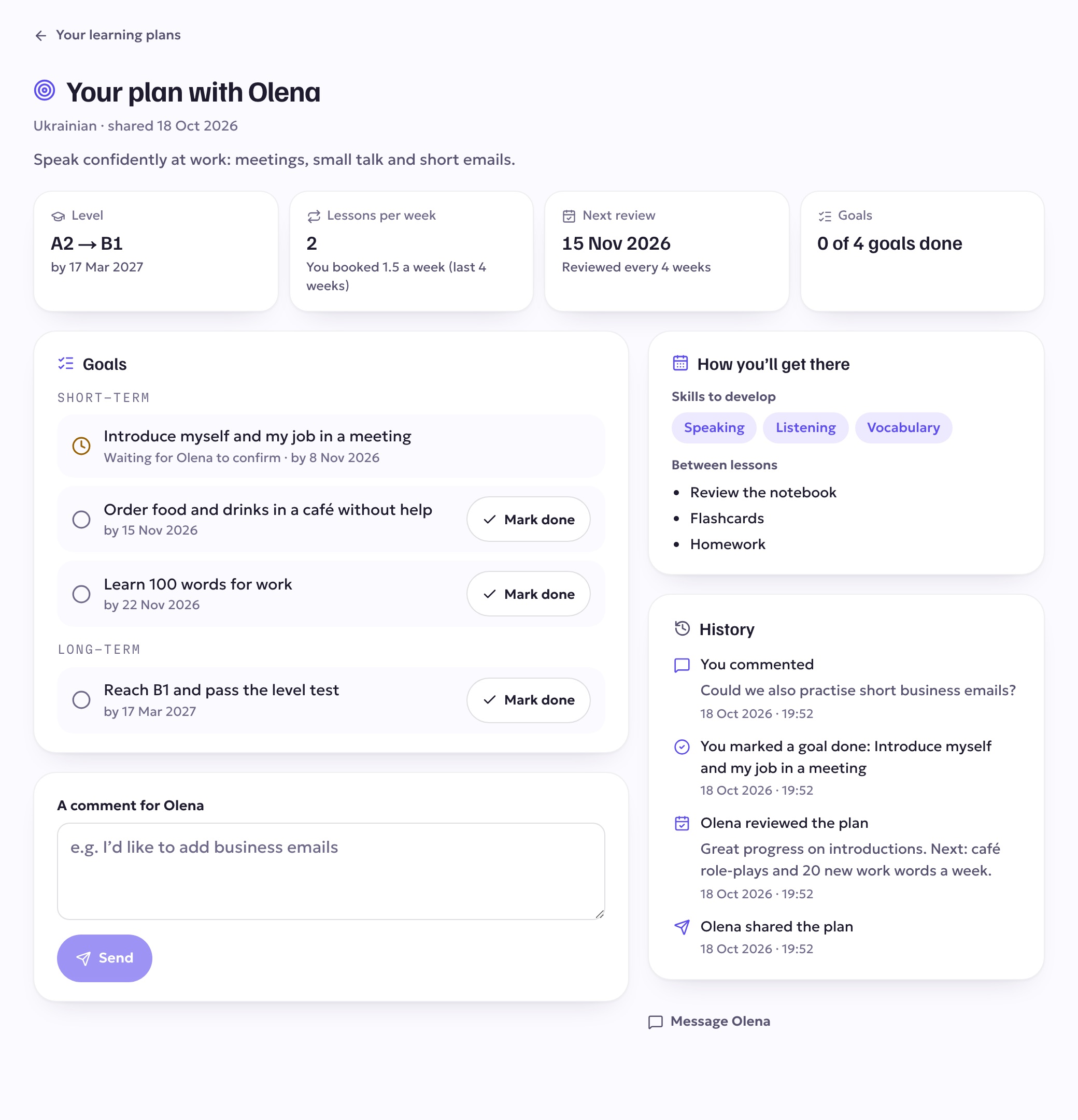
What's in a plan
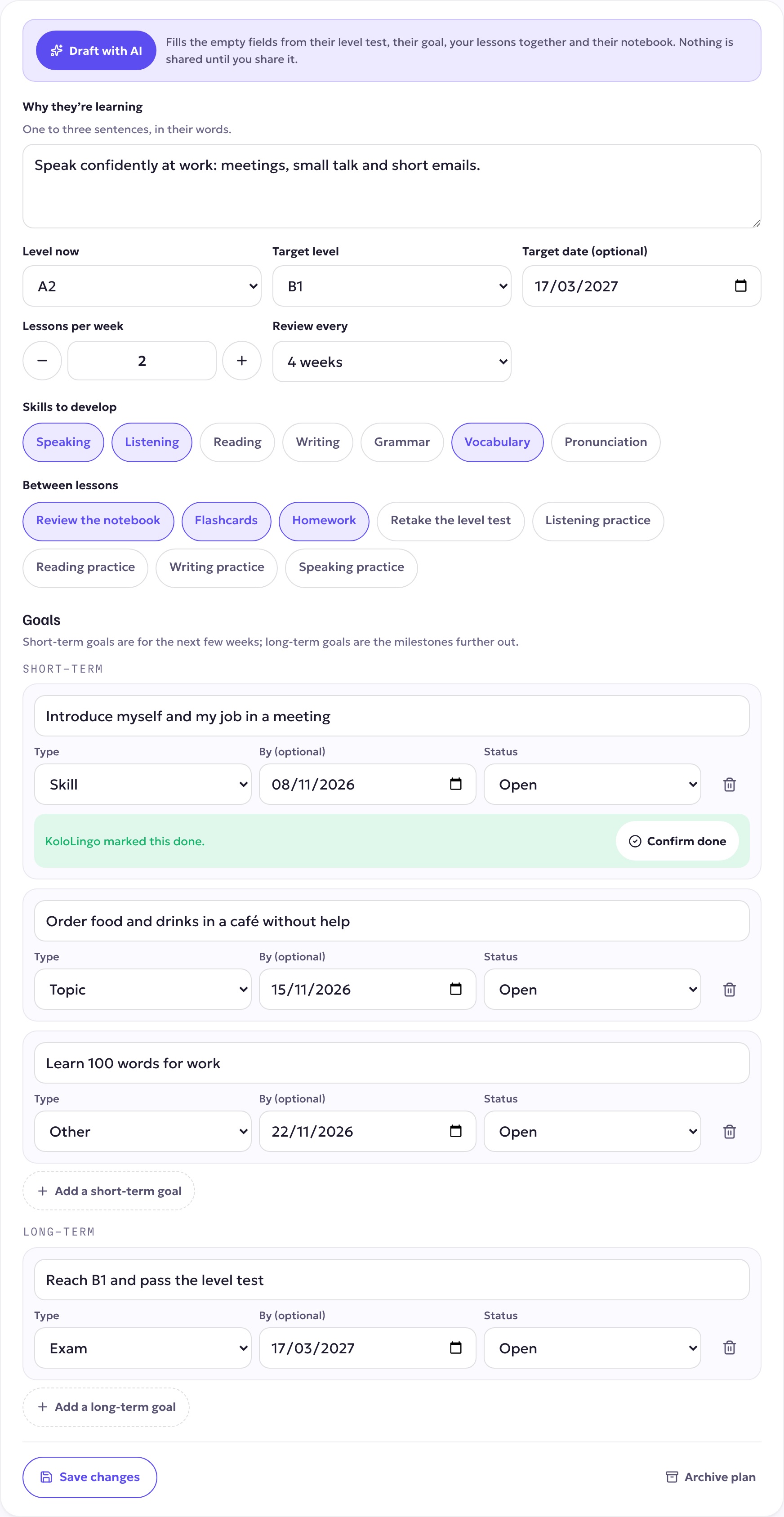
- Why you're learning, in a sentence or two — for work, an exam, travel, or just to talk.
- Your level now and your target level, and a target date if you have one.
- How often to meet — the lessons per week you agreed on.
- The skills to work on and what to practise between lessons: your notebook, flashcards, homework, a level test retake.
- Goals: short-term goals for the next few weeks, and long-term milestones.
- A review every 4, 6 or 8 weeks, when your teacher looks back at your progress with you and adjusts the plan.
For students. Your plan appears on your dashboard as Your plan with your teacher, and under Learning plans. Tick off a goal with Mark done when you reach it — your teacher confirms it — and leave a comment if you'd like to add something ("I'd like to practise business emails"). You'll see how many lessons a week you planned next to how many you actually booked.
For teachers. After a first lesson with a student, open the student's page and choose Create a learning plan. Draft with AI fills in a first draft from the student's level test, their goal, your lessons together and their notebook — you edit everything, and nothing is shown to the student until you Share it. When a review is due, it appears under Needs you on your dashboard, with the student's progress since the last review: lessons taken against the plan, new words in their notebook, goals done and their level test. The plan's open goals also show up when you prepare a lesson, so you can pick the topic straight from a goal.
A plan is private: only you and your teacher can see it.