What’s newFor teachers
How to use the Teachers' library
The Teachers' library is where KoloLingo teachers share lesson materials with each other: lesson plans, slide decks, quizzes, flashcard sets, worksheets and games. Copy anything you like into your own materials, and share the things you're proud of.
Only teachers can see the library. Students and visitors never see it.
Where you find it
In the teacher menu, open More and choose Teachers' library.
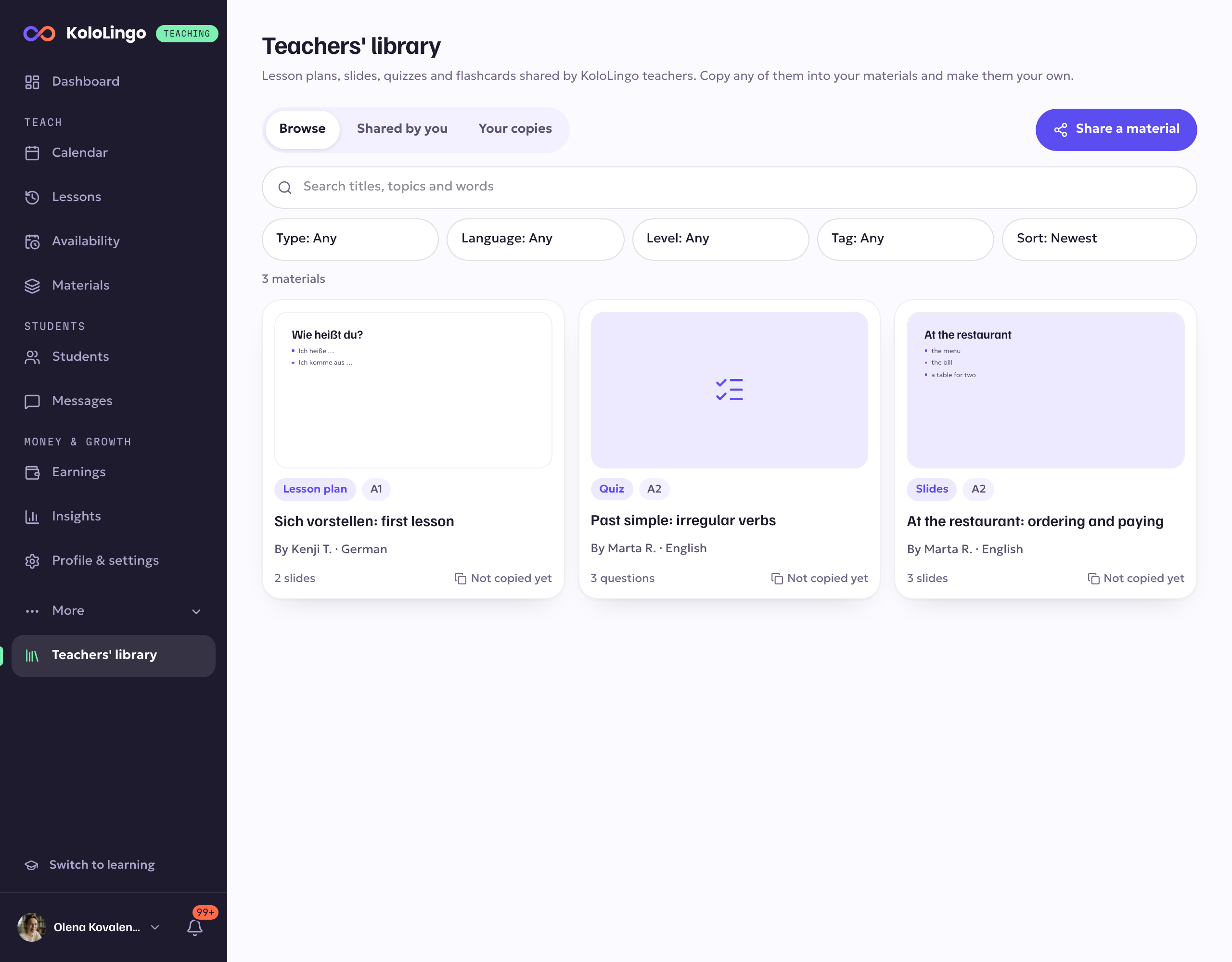
At the top you switch between three views:
- Browse: everything other teachers have shared.
- Shared by you: the materials you've shared, and how many teachers copied each one.
- Your copies: everything you've copied from the library, with the teacher who shared it.
Find a material
Type in Search the library to look through titles, topics and words. Narrow it down with the filters: Type (lesson plan, slides, worksheet, quiz, flashcards, activity or game), Language, Level (A1 to C2, or any level) and Tag. Sort by Newest or Most copied.
Each card shows who shared it, what's inside (for example 12 slides or 20 questions) and how many teachers copied it.
Look inside, then copy it
Open a material to see What's inside: every slide with its speaker notes, every quiz question, every flashcard with its front, back and example. Files open in a preview or download.
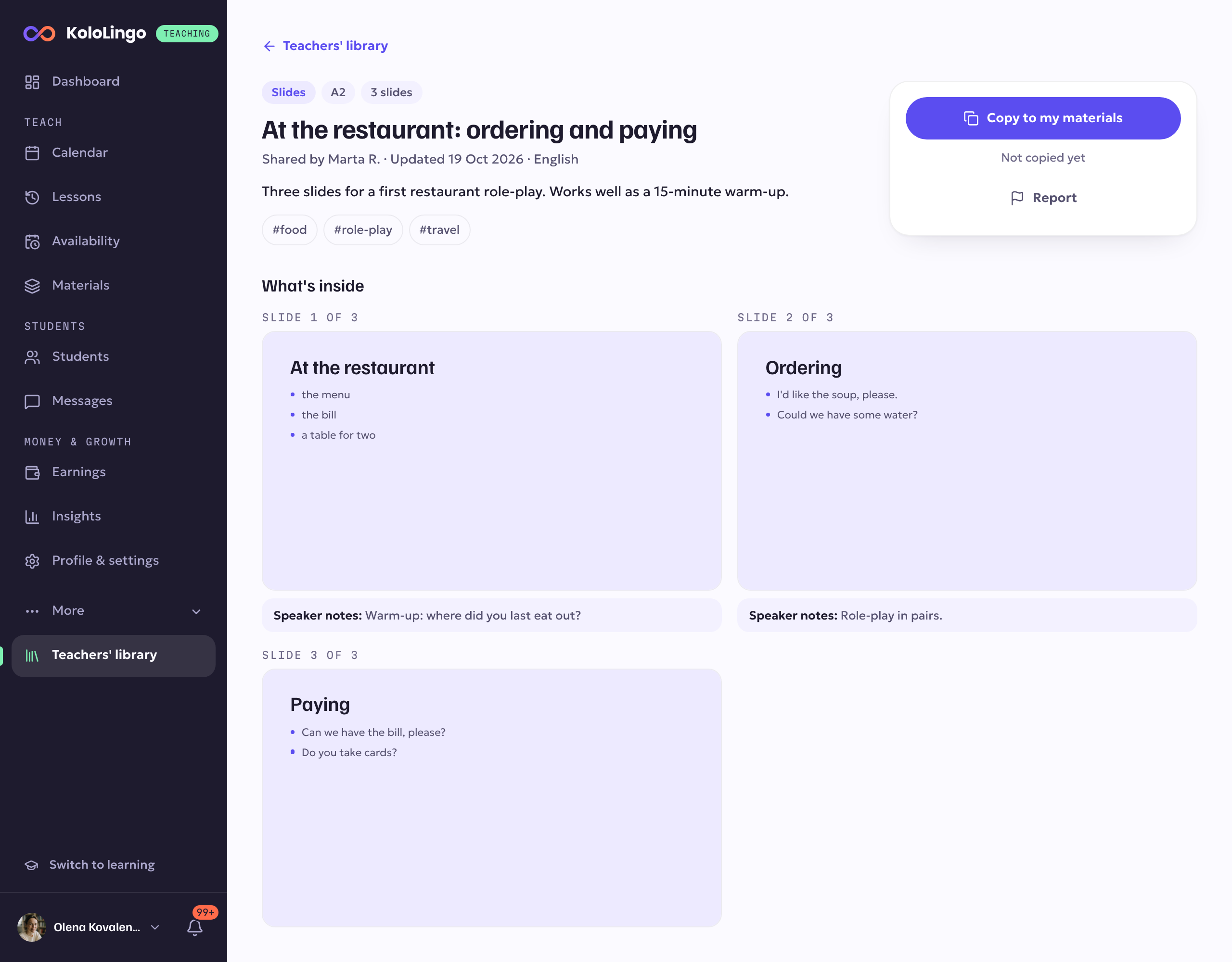
When it suits you, press Copy to my materials. Your copy appears in your materials straight away, in the right place (Slides, Quizzes, Flashcards or Files). It's completely yours: change it, cut it, use it in your lessons. The teacher who shared it is credited, and you'll find it again under Your copies.
Share one of your materials
- Press Share a material in the library, or open a deck, quiz, flashcard set or file in your materials and choose Share with other teachers from its menu.
- Give it a title and a short description: what it's for, who it suits, how you use it in a lesson.
- Choose its type, language and level, and add a few tags so teachers can find it.
- Press Share. It's in the library at once.
You get a notification when teachers copy your material, at most once a day for each one.
Your edits and the shared version
Other teachers see your material as it was when you shared it. If you keep improving your original, nothing changes in the library until you open your shared material and press Update the shared version. The page tells you when your original has changed since you shared it.
To take it out of the library, press Stop sharing. Teachers who already copied it keep their copies.
Report a problem
If a material copies someone else's work, is inappropriate, is advertising or has mistakes, open it and press Report. Choose a reason and, if you like, add a note. The teacher who shared it isn't told who reported it. Our team looks at every report and removes materials that break the rules; if that happens to something you shared, you get a message saying why.
Good to know
- Share only materials you made yourself, or that you have the right to share.
- Pictures, sounds and files inside a material are copied with it, so your copy keeps working even if the original changes or leaves the library.
- The library works the same in the KoloLingo app: open Materials and choose Library.