What’s newFor students
How to practise speaking between lessons
Speaking practice lets you say a sentence out loud between lessons and see straight away how it came across: the words that came through, the ones that didn't, and a score. Share your best try with your teacher if you'd like their feedback.
Where you find it
Open My learning and choose Speaking. In your notebook you can also press Say it out loud next to a word or phrase.
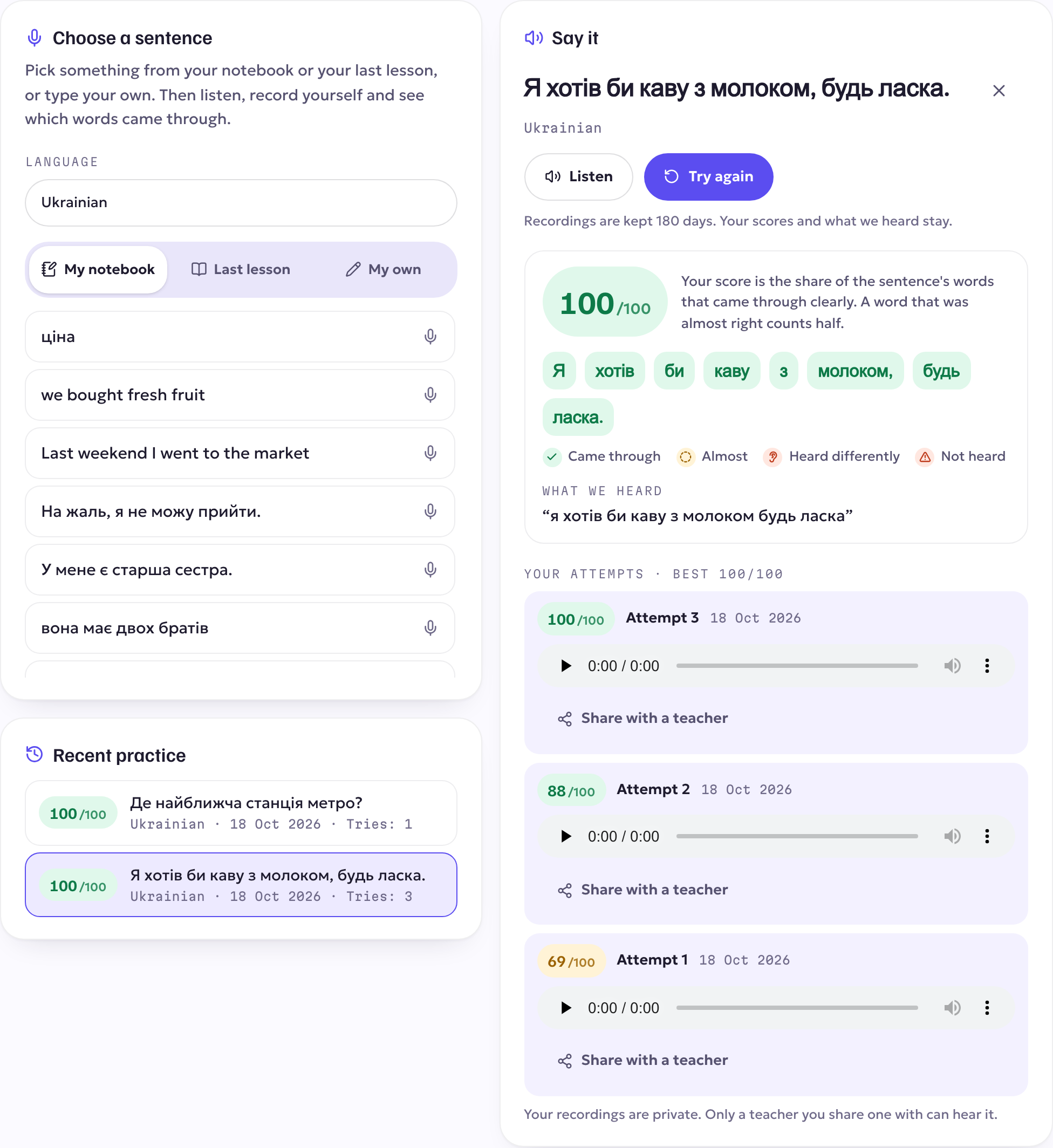
Practising a sentence
- Pick a sentence: one from your notebook, one with the words from your last lesson, or type your own (up to 200 characters). If you learn more than one language, choose which one.
- Listen to how it sounds.
- Press Record and say it (up to 20 seconds). The first time, we ask your permission to use the microphone.
- You see your feedback:
- what was heard, word by word;
- each word marked as came through, almost, heard differently or not heard;
- a score out of 100;
- sometimes a short tip about a word to work on.
Try again as many times as you like. Every try keeps its score, and your history shows your recent practice.
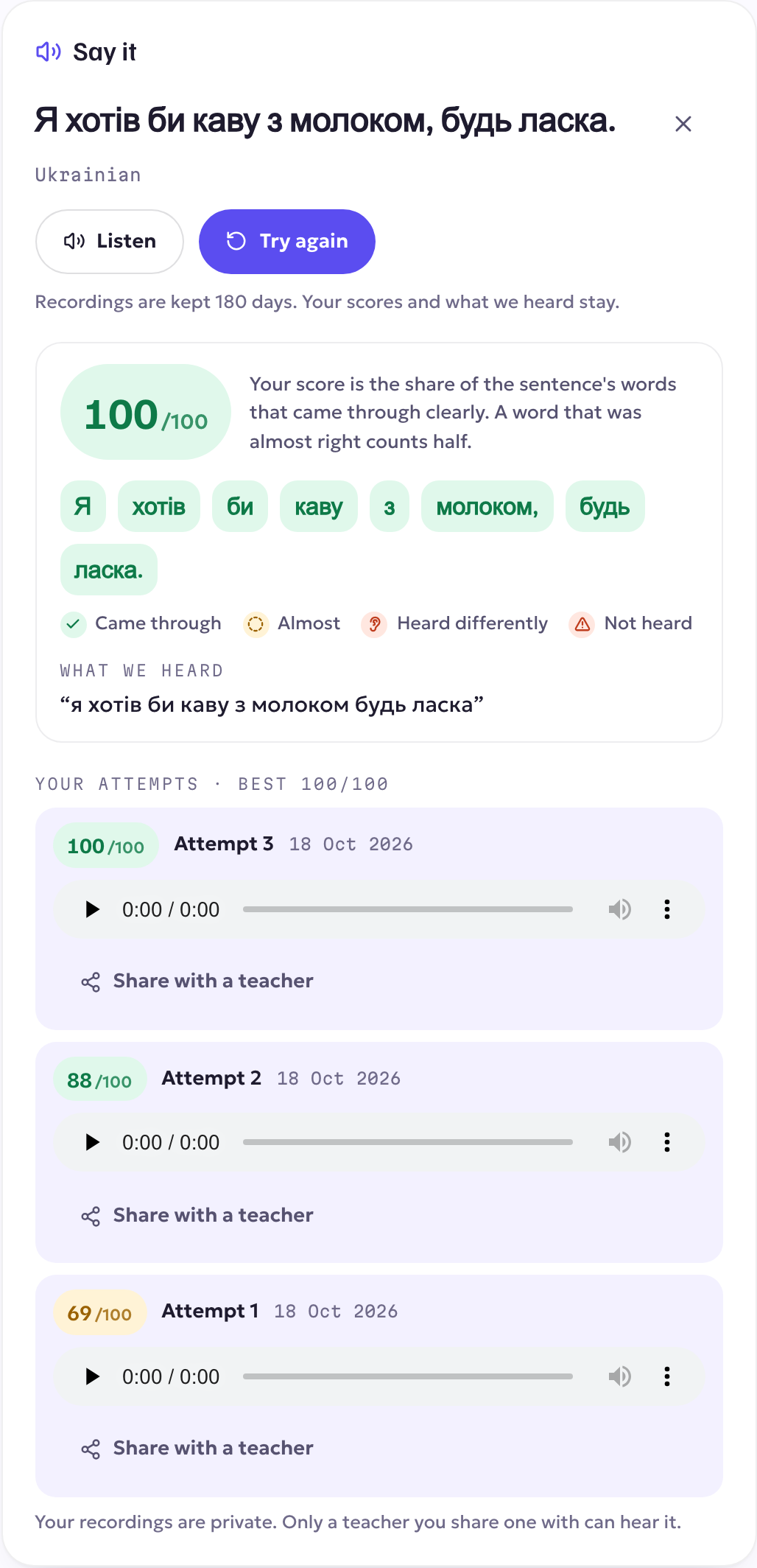
Sharing with your teacher
Want your teacher to hear it? Press Share with a teacher on a try and choose the teacher. They're notified, and they can listen to it and see the feedback on your page, which is handy to talk about in your next lesson. Only the tries you share are visible to them.
Your recordings
- Your recordings are private unless you share them.
- They're deleted after 180 days. Your scores and what was heard stay in your history.
- If the microphone is blocked, your browser or phone will say so. Allow microphone access for KoloLingo and try again.