What’s newFor students
When your teacher offers a new time for a lesson that didn't take place
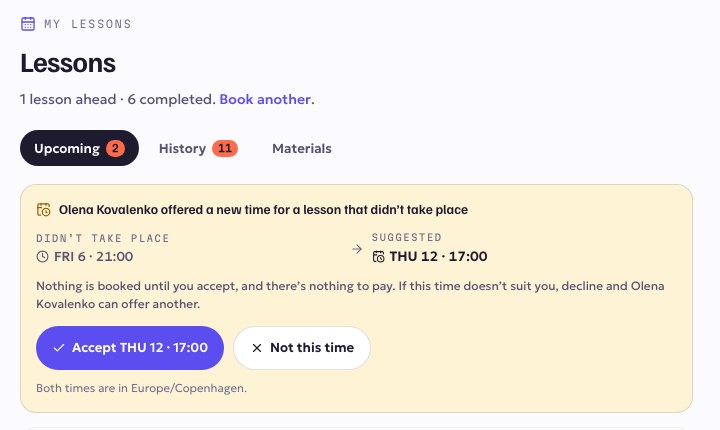
If a lesson didn't take place, your teacher can offer you a new time for it. It's the same lesson you already paid for, so there is nothing to pay.
Where you'll see it
You'll get an email and a notification. The offer also appears at the top of Lessons → Upcoming and on your home page under Needs you.
What to do
- Accept: press Accept with the new time. The lesson is booked, and it appears in your upcoming lessons like any other.
- Not this time: if the time doesn't suit you, press Not this time. Your teacher is told and can offer another time.
Nothing is booked until you accept. The offer stays open for 72 hours. If someone else books that time before you answer, you'll see that the time has gone, and your teacher can offer you another one.
Both times are shown in your own timezone.