What’s newFor teachers
Build course lessons from blocks: materials and five exercise types
Course lessons are no longer one video and a box of text. Each lesson in a self-paced course is now built from blocks you stack under the video.
What you can add
- Text with headings, lists and links.
- Materials: PDFs, pictures, audio and documents, shown in the lesson or offered as a download.
- Exercises in five types: multiple choice, fill in the blank, choose and fill, matching, and true or false. Students answer in the course player and are marked straight away.
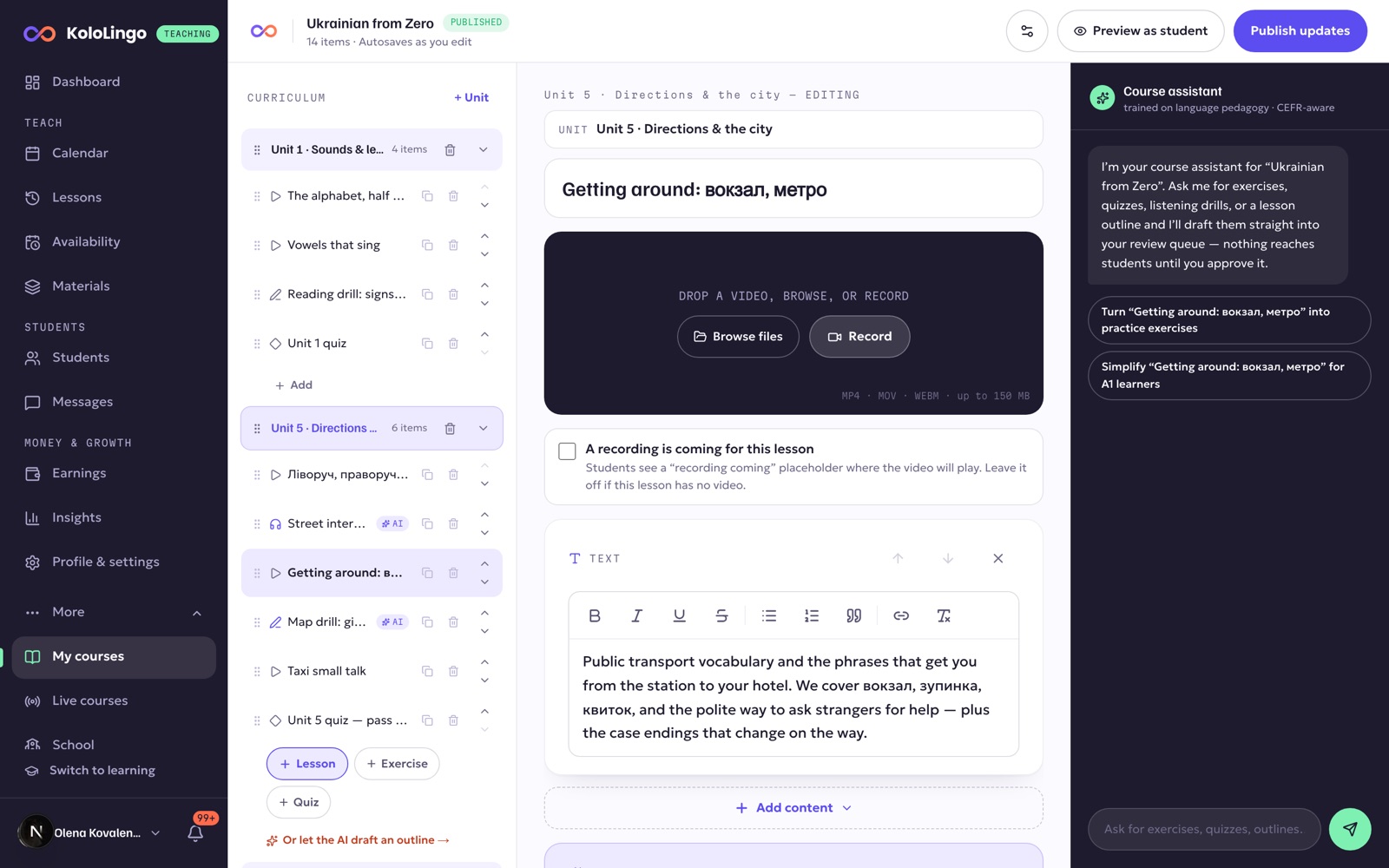
How to do it
- Open More → My courses and pick a course (or create one).
- Choose a lesson in the curriculum on the left.
- Press + Add content under the lesson and pick a block.
- Changes to a published course stay a draft until you press Publish updates, so students never see a half-edited lesson.