What’s newFor students
Your learning plan: where to find it and how to use it
After your first lessons, your teacher can write a learning plan with you: what you want to reach, how often you'll meet, what to practise between lessons, and the goals along the way. Here's how to use it.
Where to find it
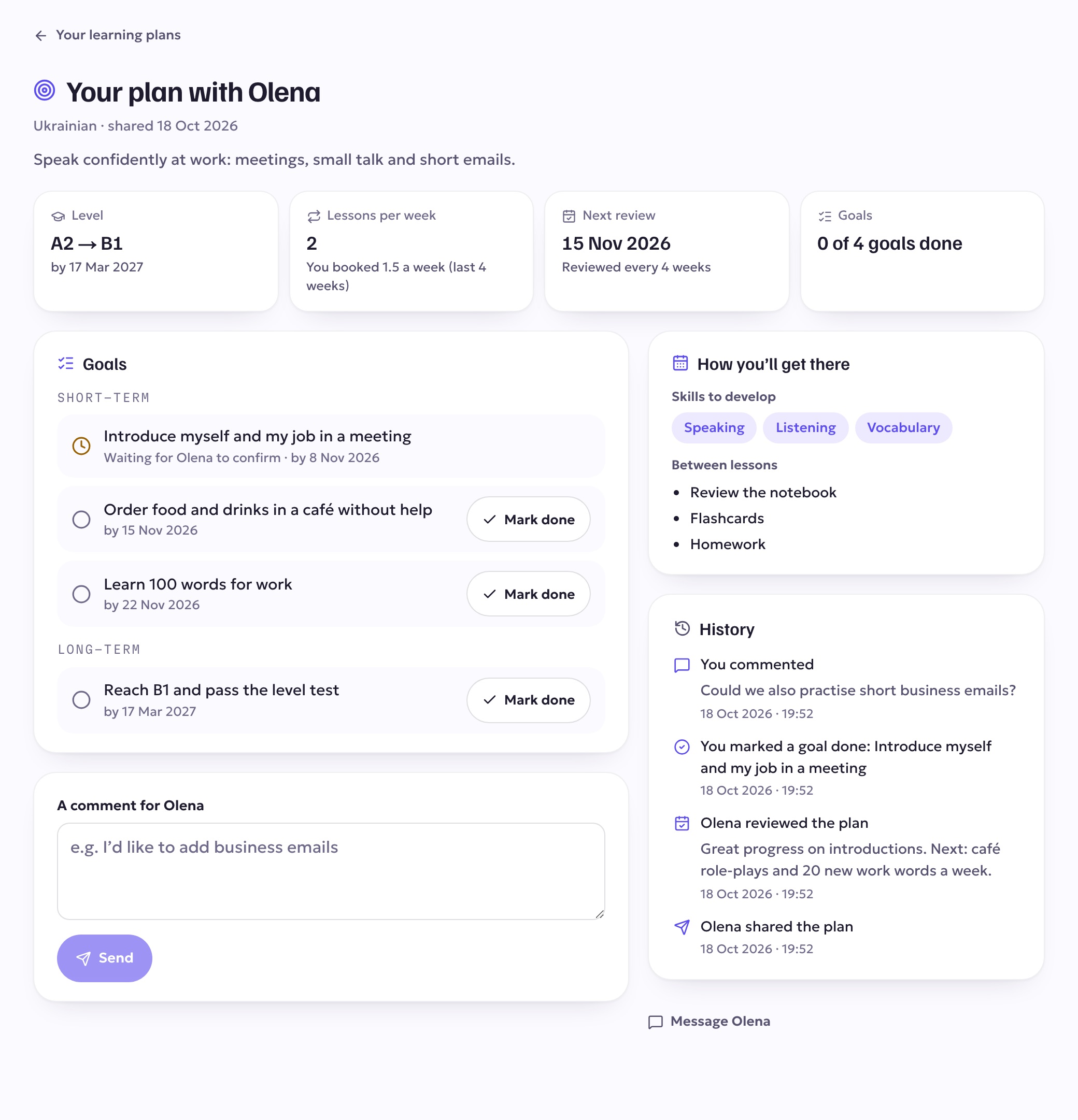
- On your dashboard, in the card Your plan with your teacher. It shows your goals, your next review, and how many lessons a week you planned next to how many you've booked.
- Under Learning plans (at /plans), with every plan your teachers have shared with you. If you learn with more than one teacher, each of them can write a plan with you.

You'll also get a notification and an email when your teacher shares a plan with you.
What's in your plan
- Why you're learning — the reason you gave your teacher.
- Level — where you are now and the level you're aiming for, with a target date if you set one.
- Lessons per week — what you agreed, and how many you've actually booked over the last 4 weeks.
- Next review — when your teacher will look back at your progress with you.
- How you'll get there — the skills you're working on and what to practise between lessons (your notebook, flashcards, homework, retaking the level test…).
- Goals — short-term goals for the next few weeks and long-term milestones.
Mark a goal done
When you've reached a goal, tap Mark done. The goal then shows "Waiting for … to confirm" until your teacher confirms it — after that it's ticked off.
Add a comment
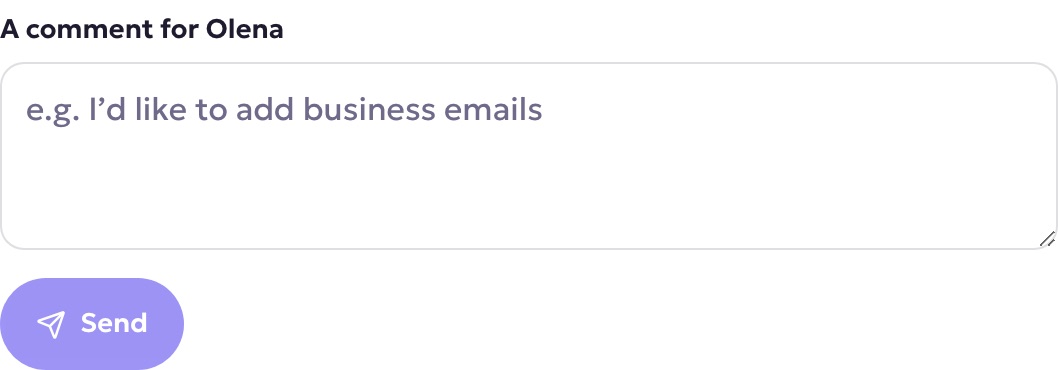
Want to add something to the plan, or change a goal? Write it in the comment box — for example "I'd like to practise business emails" — and tap Send. Your teacher is notified and sees it in your plan.
Reviews
Every few weeks your teacher reviews the plan: they look at the lessons you've had, the new words in your notebook, the goals you've reached and your level test, and adjust the plan with you. You'll get a notification when your plan has been reviewed, and your teacher's note appears in the plan's History.
Good to know
- Your plan is private: only you and your teacher can see it.
- Your teacher writes and edits the plan. If something should change, leave a comment or bring it up in your next lesson.