What’s newFor teachers
A setup guide for new teachers, including how you get paid
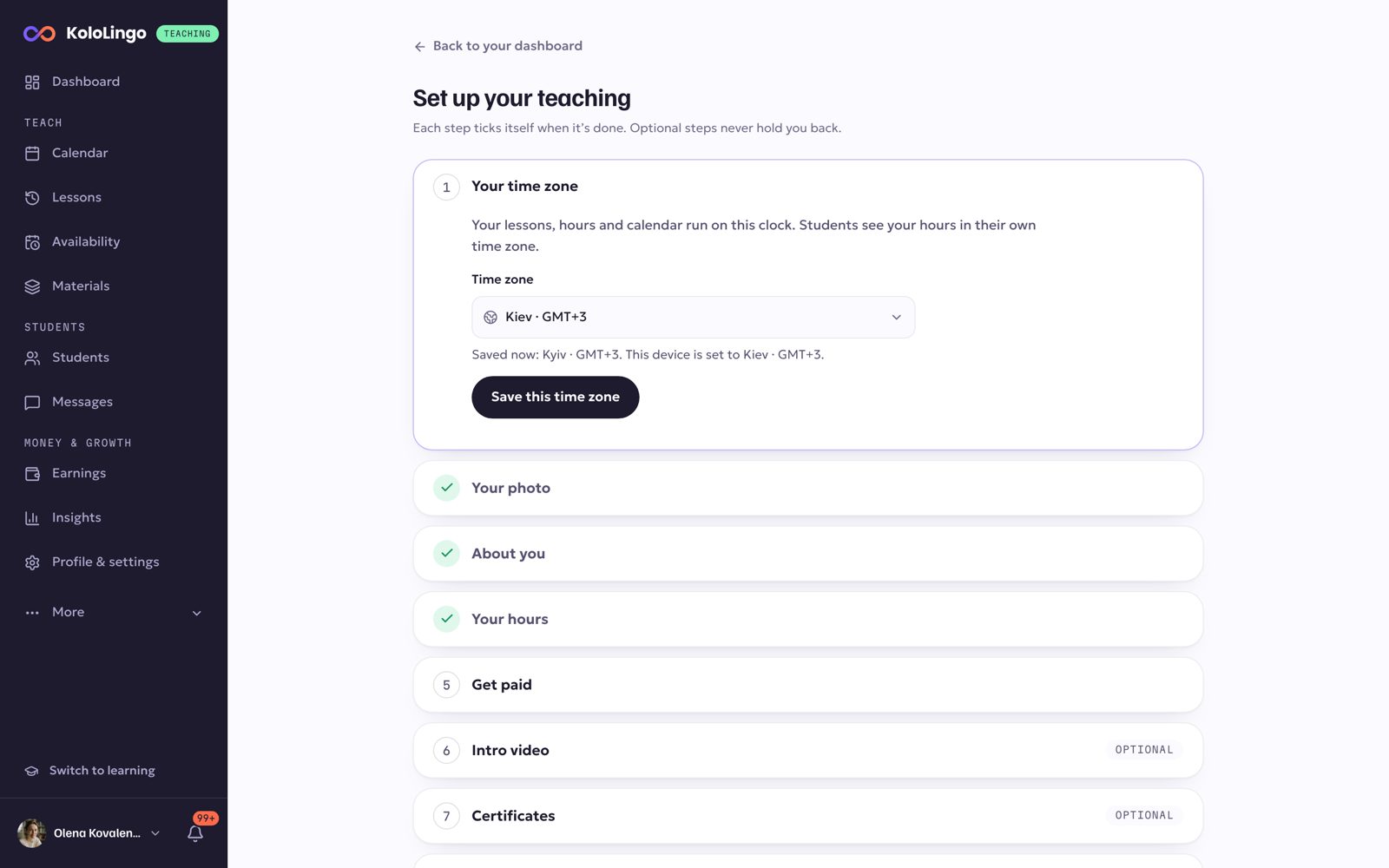
New on KoloLingo? A short guide now takes you through everything you need before your first student books, one step at a time. Each step ticks itself as soon as it is done.
The steps
- Your time zone: your lessons, hours and calendar run on this clock.
- Your photo: a clear, friendly photo of your face.
- About you: a few lines in your own words.
- Your hours: when students can book you.
- Get paid: how your earnings reach you.
Then, if you like: your intro video, your certificates and a practice lesson in the classroom.
Get paid: Stripe or USDT/USDC
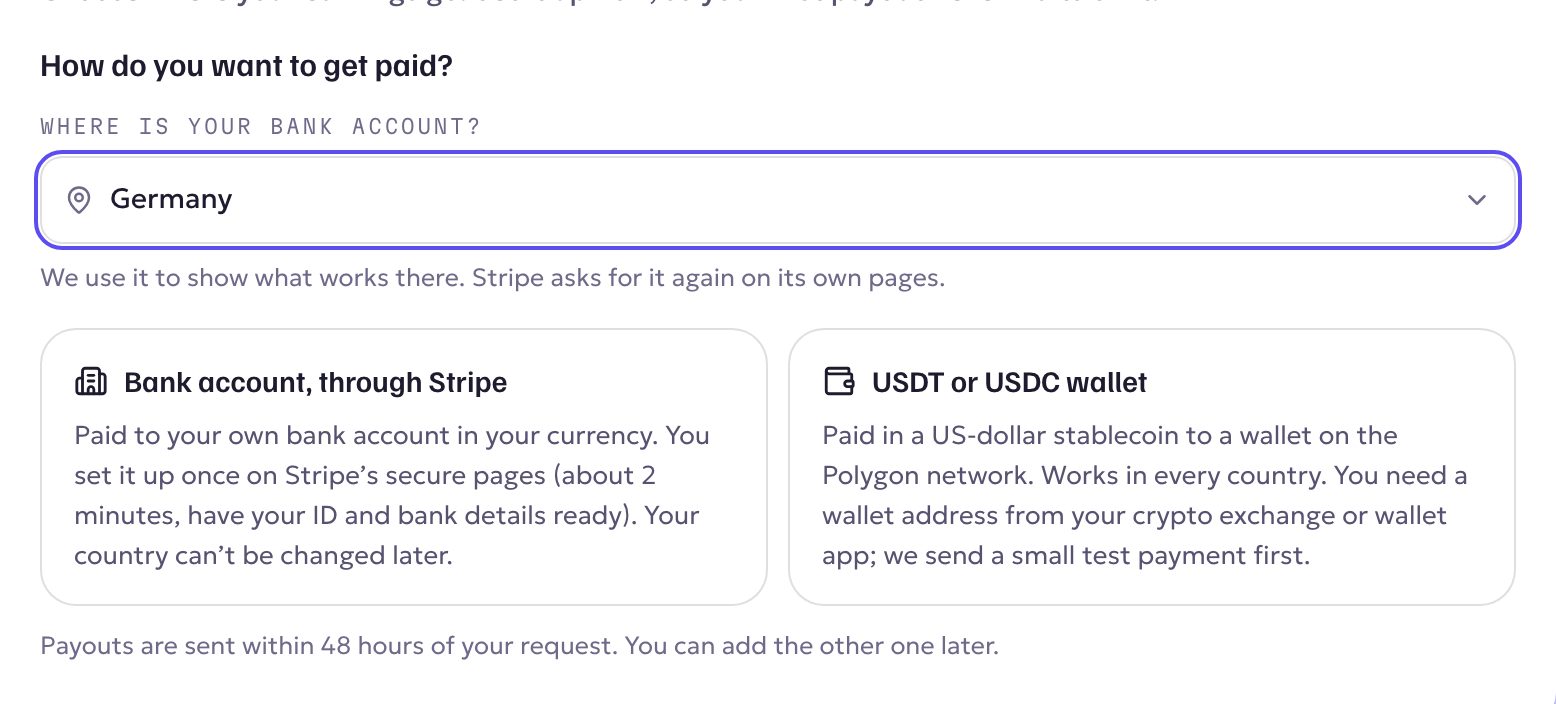
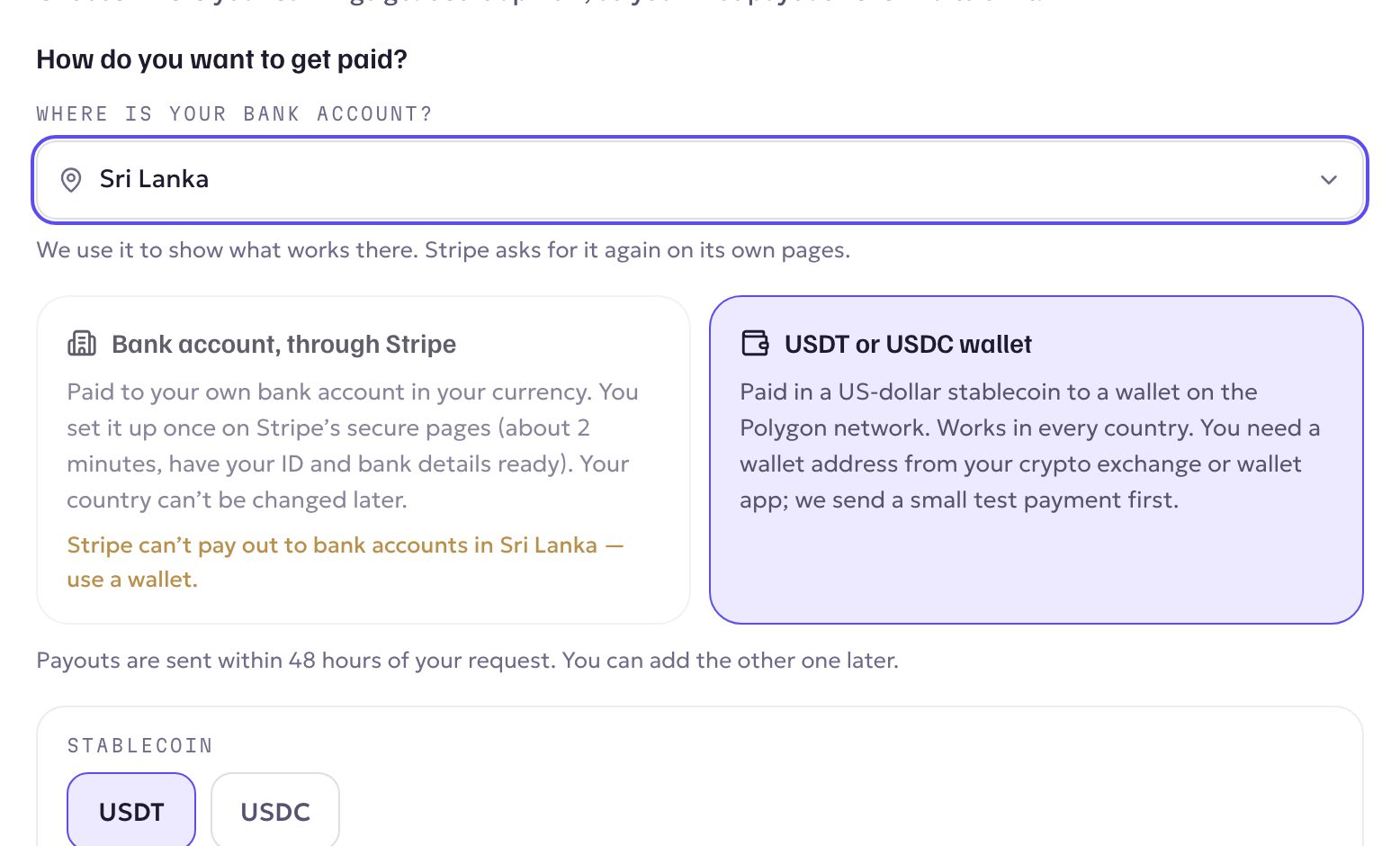
Tell us where your bank account is, and the guide shows what works there:
- Bank account, through Stripe: paid to your own bank account in your currency. You set it up once on Stripe's secure pages (about 2 minutes, with your ID and bank details ready).
- USDT or USDC wallet: paid in a US-dollar stablecoin to a wallet on the Polygon network. Works in every country. You need a wallet address from your crypto exchange or wallet app, and we send a small test payment first.
If Stripe can't pay out to banks in your country, the guide tells you straight away and takes you to the wallet option. Payouts are sent within 48 hours of your request.
Show me
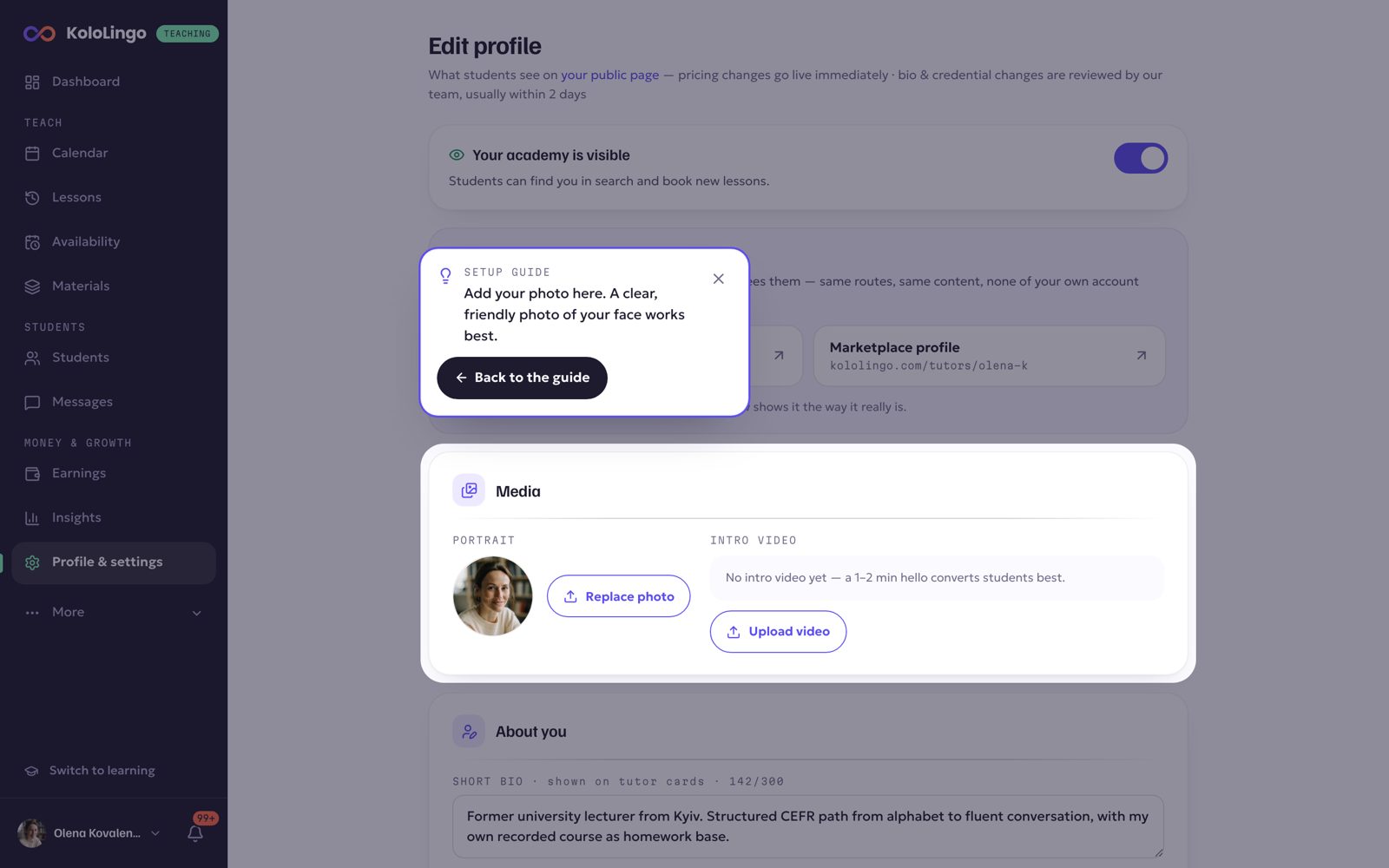
For the photo, video, certificates and hours, Show me opens the right page with that part highlighted, and Back to the guide brings you back.
Where to find it
New teachers see it the first time they open KoloLingo after approval. Anyone who hasn't finished yet has a Finish setting up card at the top of the Dashboard.