What’s newFor teachers
How to use Exam prep with your students (teachers)
Exam prep lets your students practise for a language exam on KoloLingo, with mock tests timed like the real exam. You can give them a mock test, and when they share a finished test with you, you review it: their answers, their recordings, your comments and marks.
Where you find it
In the teacher menu, open More → Exam prep. Each student's page also has an Exam prep card.
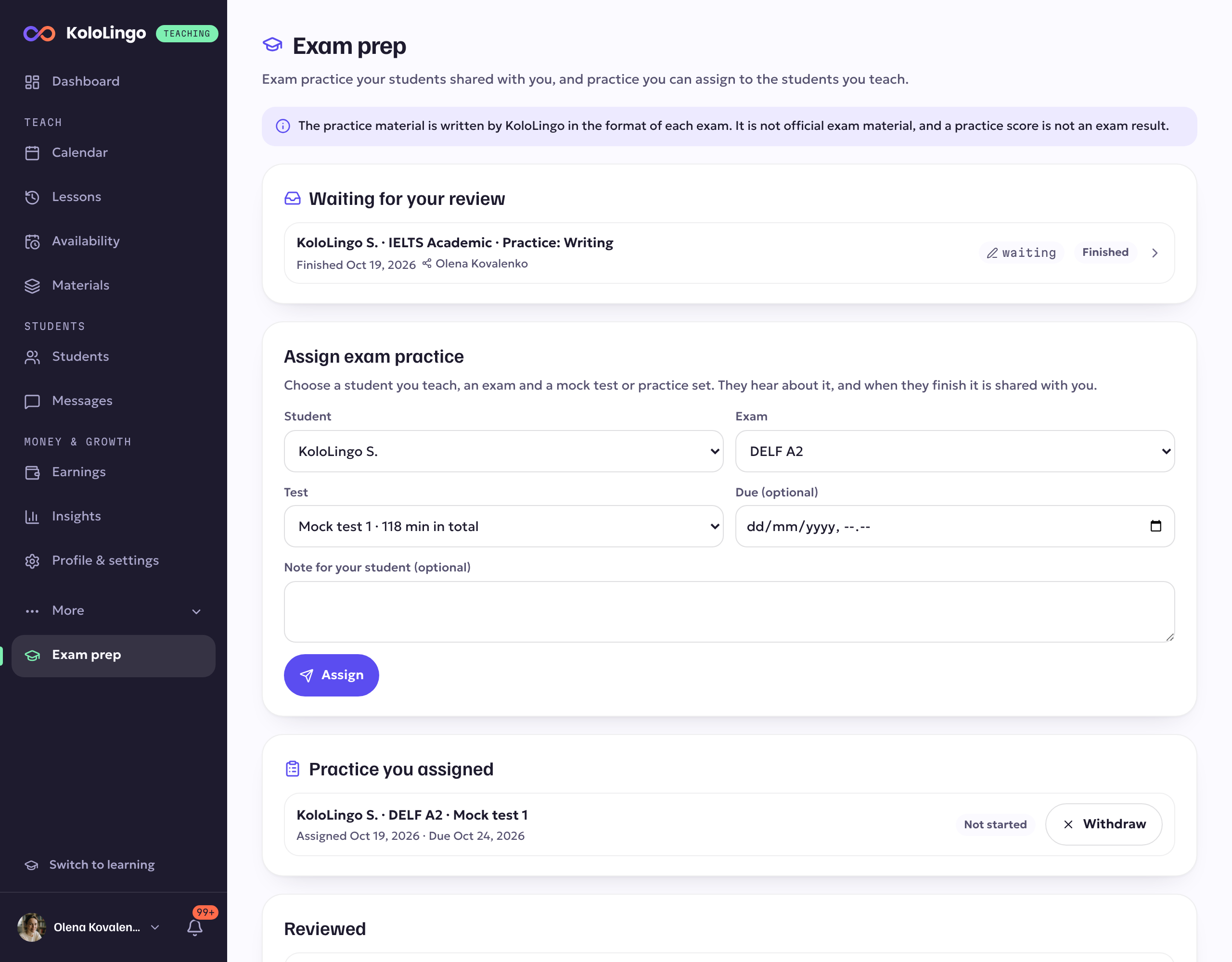
- Waiting for your review: finished tests your students shared with you.
- Assign exam practice: give a student a mock test or a practice set.
- Practice you assigned: what you gave, and whether it's started or finished.
- Reviewed: tests you've already sent a review for.
The exams today are DELF A2 and B1, Goethe-Zertifikat A2 and B1, and IELTS Academic. Each mock test follows the parts and timings the exam body publishes.
Giving a student a test
- Under Assign exam practice, choose the student. You can choose any student you've had a lesson with.
- Choose the exam and the test: a full mock test, or a practice set for one part.
- Add a due date and a note if you want to.
- Press Assign. Your student gets a notification and an email.
When they finish, the test is shared with you and you get a notification. You can withdraw a test until your student starts it.
Reviewing a test
Open a test from Waiting for your review, or from the notification.
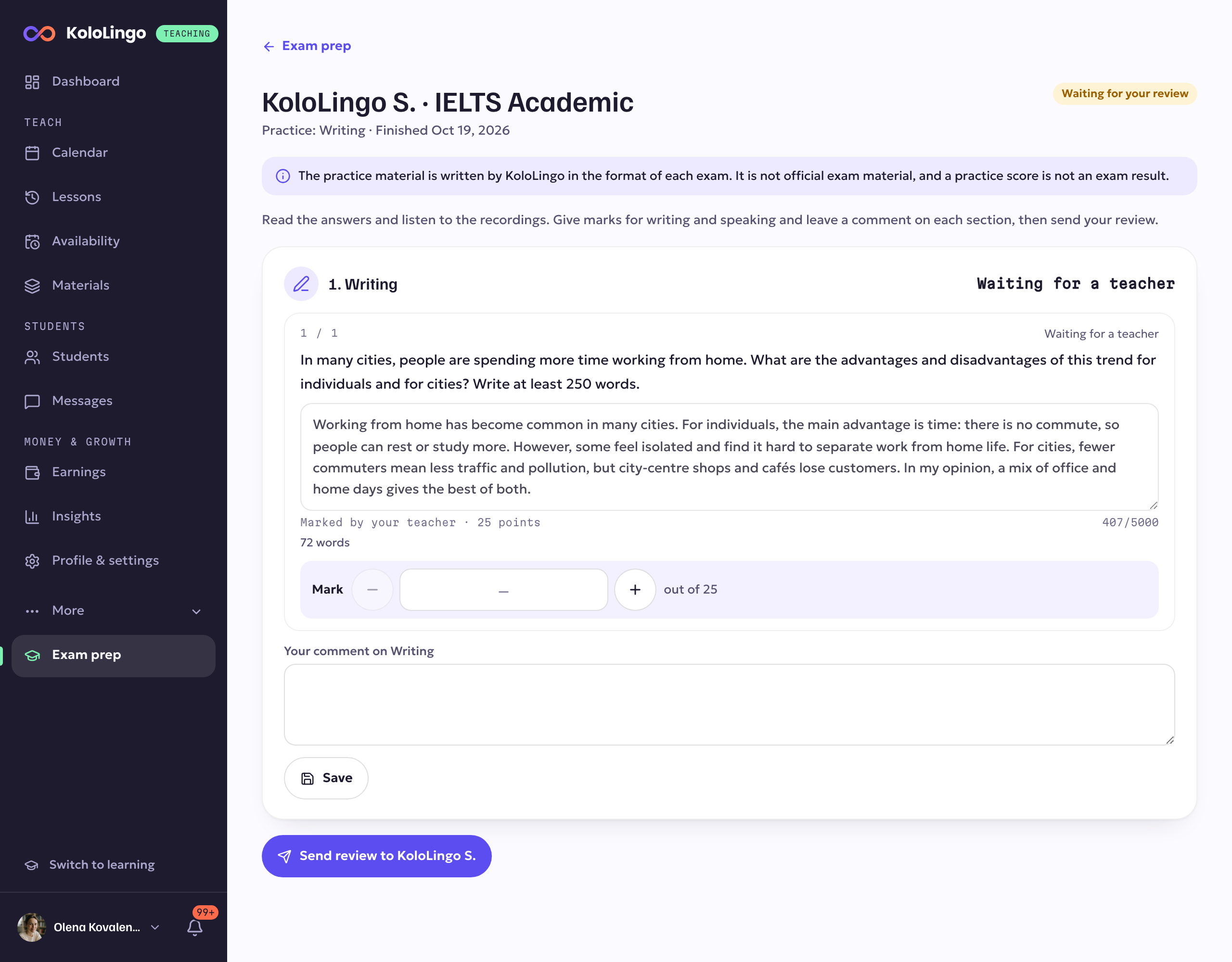
For each part you see the student's answers next to the right ones, the listening scripts, the writing with its word count, and the speaking recordings.
- Give marks for each writing task and each speaking answer. Reading and listening are marked automatically.
- Write a comment on each part, and press Save. Nothing is sent yet.
- When you're done, press Send review. Your student gets a notification and an email, and sees your comments and the new scores.
You can come back, change your comments or marks and send the review again.
On a student's page
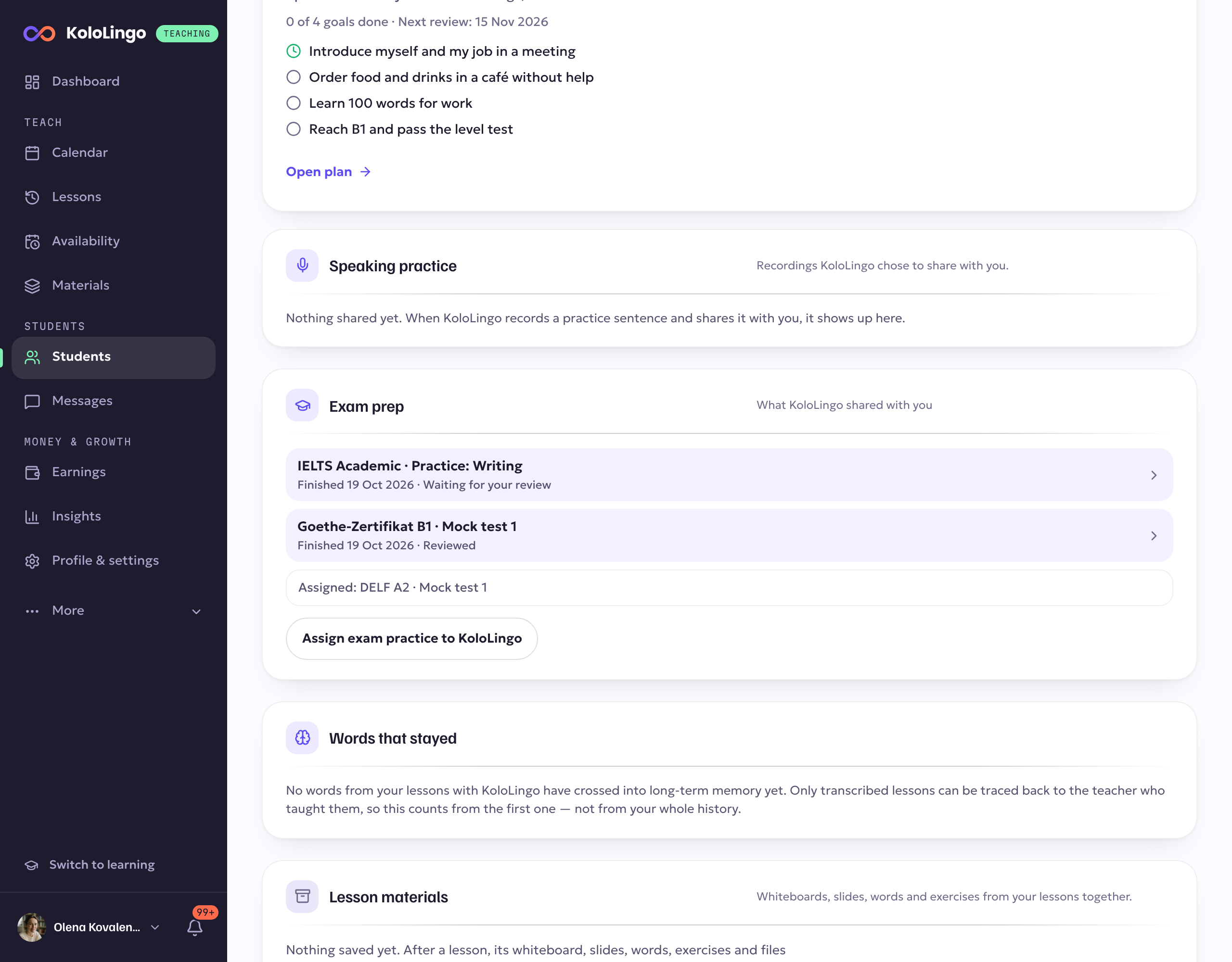
The Exam prep card shows the tests this student shared with you and the practice you gave them, with a button to assign more.
Good to know
- The practice material is written by KoloLingo in the format of each exam. It is not official exam material, and a practice score is not an exam result.
- You only see tests a student chose to share with you, or tests you gave them. You never see their other practice.
- Recordings are deleted after 180 days. Scores and comments stay.