What’s newFor students
How to do your homework (students)
Video guide
Watch how it works, step by step, in the real app.
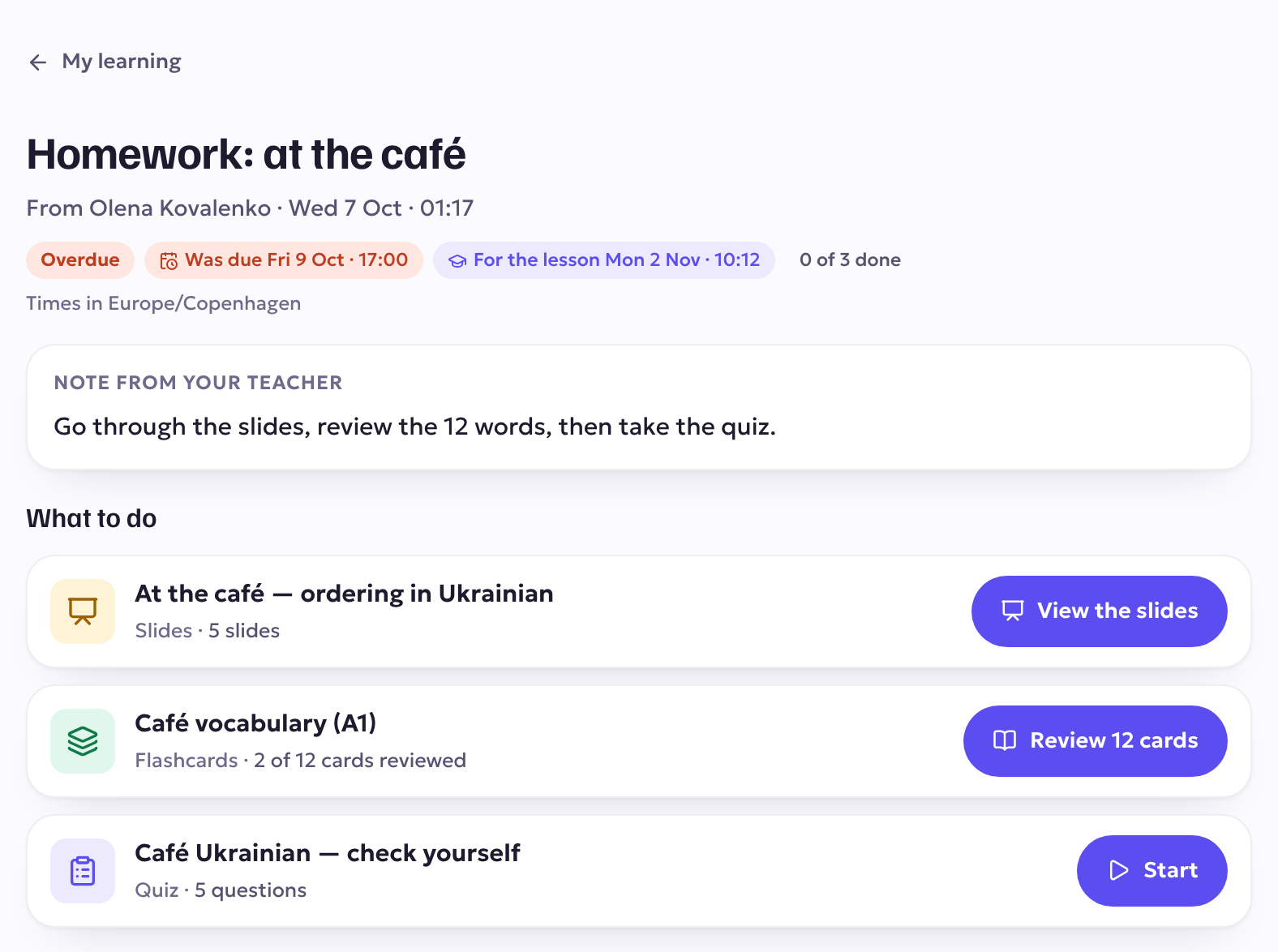
Homework from your teachers is in one place, with what to do, when it is due and your teacher's note.
Where you find it
Open My learning. The To do tab lists your homework: overdue first, then what is due soonest. Use Done and All to see the rest.

Doing your homework
- Open a piece of homework to see what to do and the note from your teacher.
- Work through each part: slides to look through, flashcards to review, a quiz to take, or a file.
- Each part counts as done as you finish it, and your teacher sees your progress.
Homework without parts (a task your teacher describes in words) has a Mark as done button. Press it when you have finished; your teacher can see it.
Reminders
The day before homework is due, you get a reminder at 9 a.m. your time, in the app and by email. You don't get one if you have already finished it.