What’s newFor students
How to share your milestones as certificates (students)
Every milestone you reach on KoloLingo can become a certificate: a page with its own code that anyone you send it to can open and check.
What counts as a milestone
- Your first lesson, then 5, 10, 25, 50 and 100 lessons completed.
- 100, 300, 500 and 1,000 words remembered in your flashcards.
- A course you finished.
A milestone is recorded the moment you reach it. You don't have to do anything.
Where you find them
Open My learning → Certificates. Every milestone you have reached is there, with the date you reached it. Your dashboard also shows a Your milestones card with your latest one.
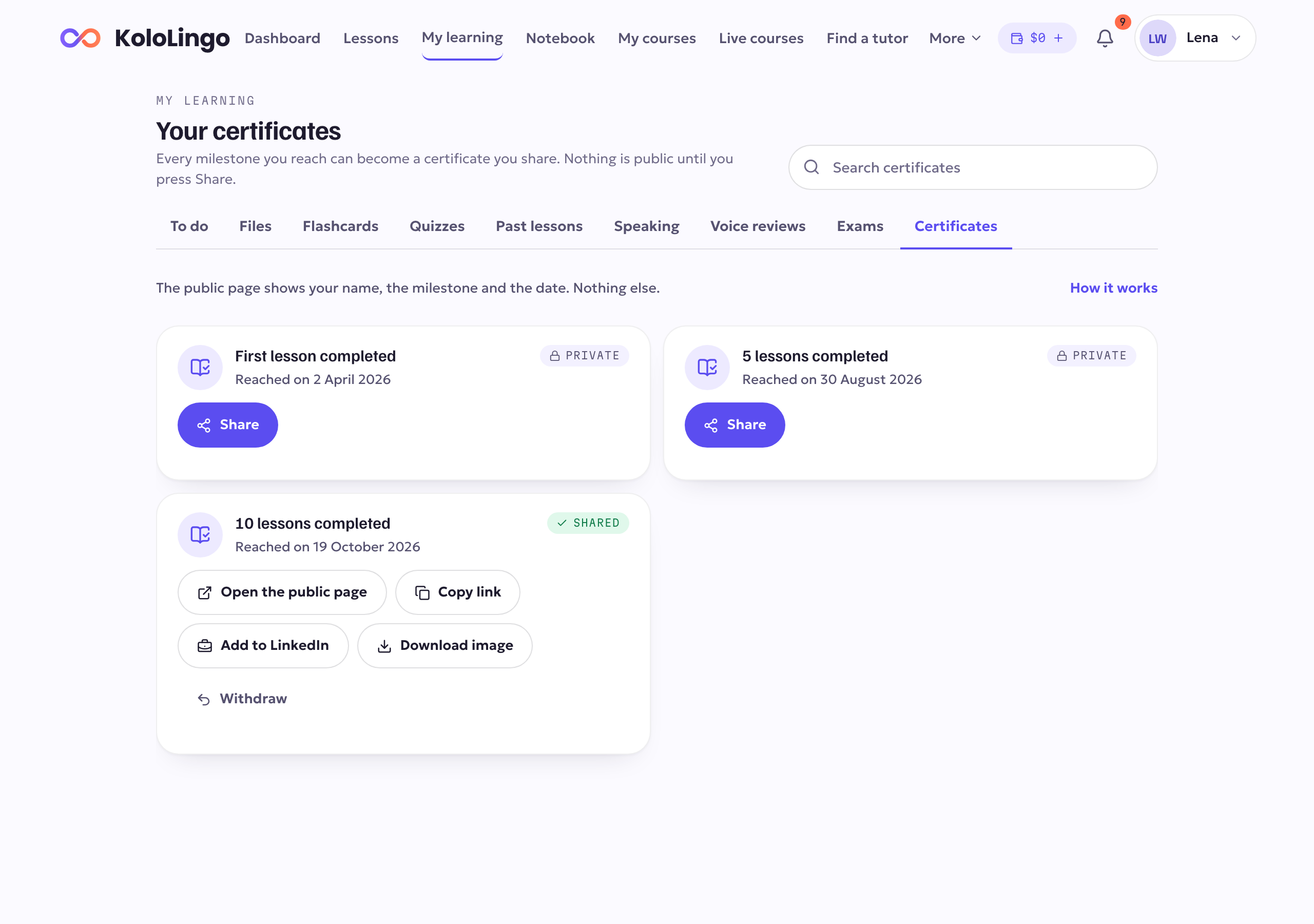
Each milestone is marked Private until you share it.
Share a certificate
- In My learning → Certificates, find the milestone.
- Press Share. The milestone is now Shared and has a public page.
- Choose how to share it:
- Open the public page to see what other people will see.
- Copy link to paste it into a message, an email or a CV.
- Share… (on your phone) to send it with any app.
- Add to LinkedIn to add it to your LinkedIn profile as a certification. LinkedIn opens with the details filled in.
- Download image to save the certificate as a picture.
What the public page shows
Only your name, the milestone, the date you reached it, that KoloLingo issued it, and its code. It never shows your email, your teachers, what you paid or anything else about your learning.
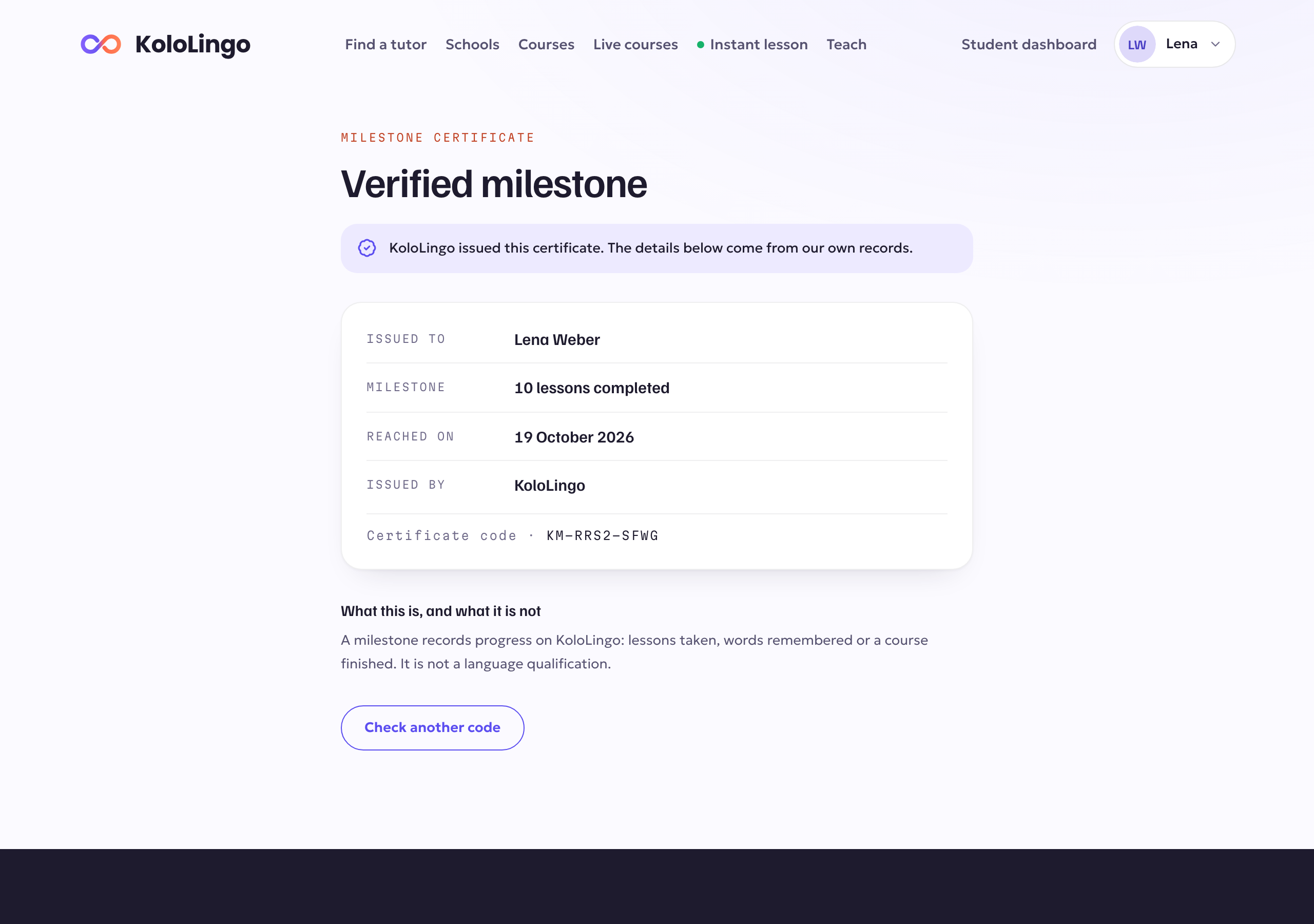
Anyone can check a code at kololingo.com/verify. A milestone is a record of your progress on KoloLingo. It is not a language qualification.
Take it back
Press Withdraw on a shared certificate, then confirm. Its page will say it was withdrawn and will no longer show your name. You can share the milestone again at any time; it gets a new link, and the old link stays withdrawn.
In the app
The KoloLingo app has the same list under My learning → Certificates: share, copy the link, add it to LinkedIn, open the public page or withdraw it.