What’s newFor teachers
Your school's own site and domain: how it works
This guide is for school owners on KoloLingo. It shows how to design your school's page, put it on your own domain, choose how your school runs, and download your records.
Design your school's page
On your School page, open Design your site. You edit on the left and see the result on the right. On a phone, switch between Edit and Preview.
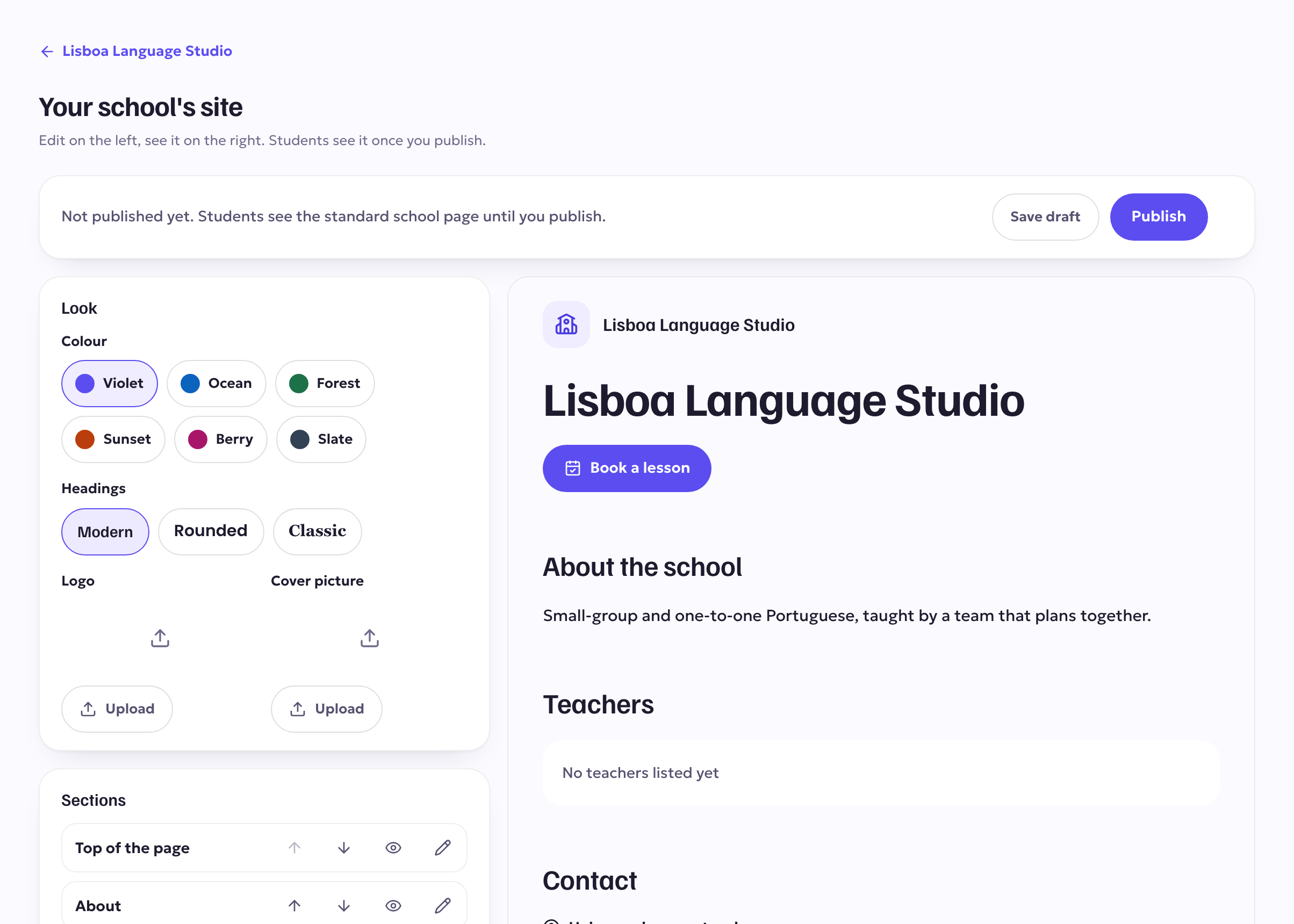
- Look: pick a colour and a heading style. Upload your logo and a cover picture (JPG, PNG or WebP, up to 5 MB).
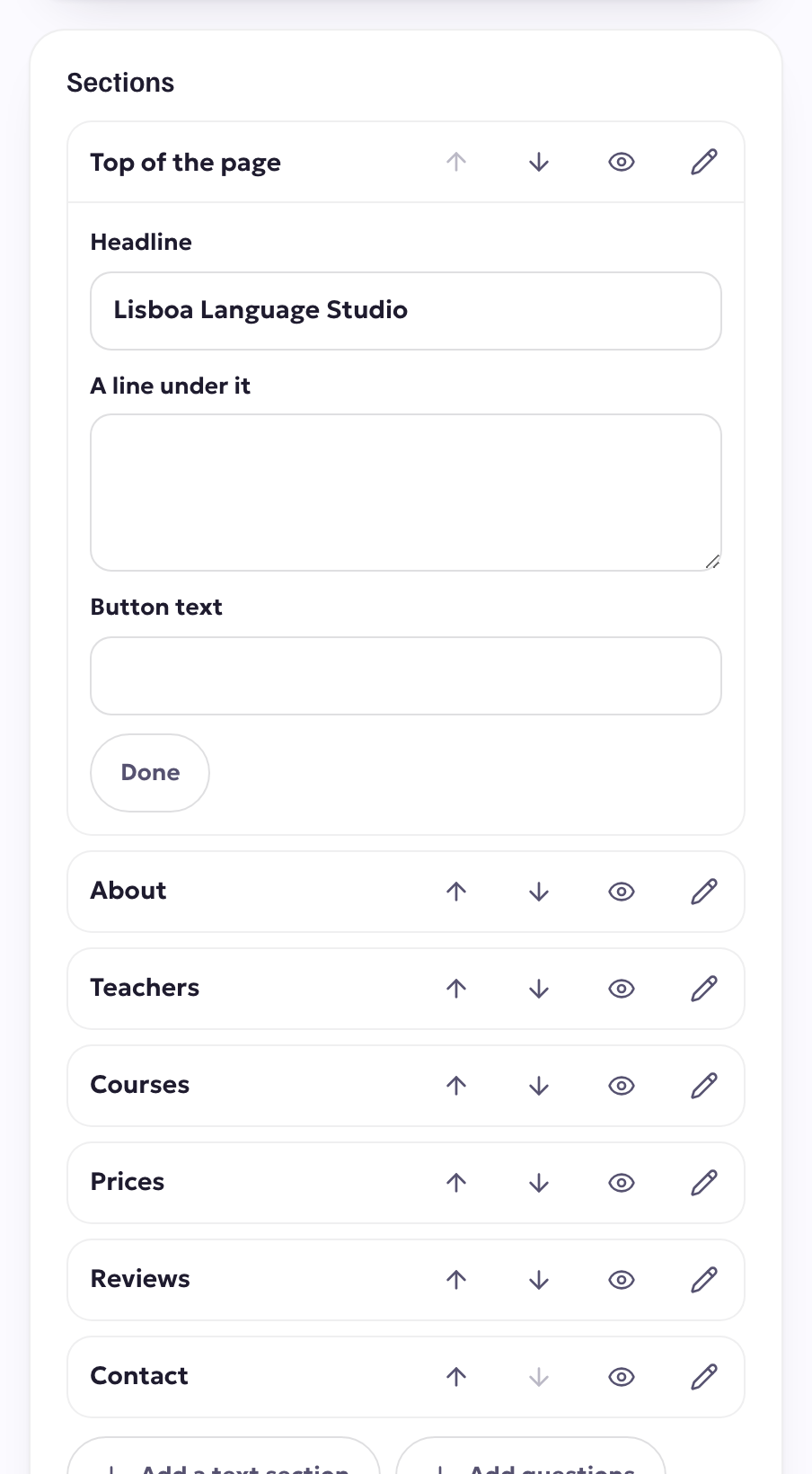
- Sections: each section can be shown or hidden, moved up or down, and edited:
- Top of the page: your headline, a line under it and the button text.
- About and Text: your own words, with headings, lists and links.
- Questions: questions and answers students often ask.
- Contact: your email, phone and address, and the "Help me choose a teacher" form.
- Teachers, Courses, Prices, Reviews fill in by themselves from your school's teachers, their published courses, their prices and their verified reviews. You can change their headings.
- Press Save draft whenever you like. Students don't see anything until you press Publish.
Your published page appears at kololingo.com/schools/your-school. You can Unpublish at any time to go back to the standard school page; your draft is kept.
Show it on your own domain
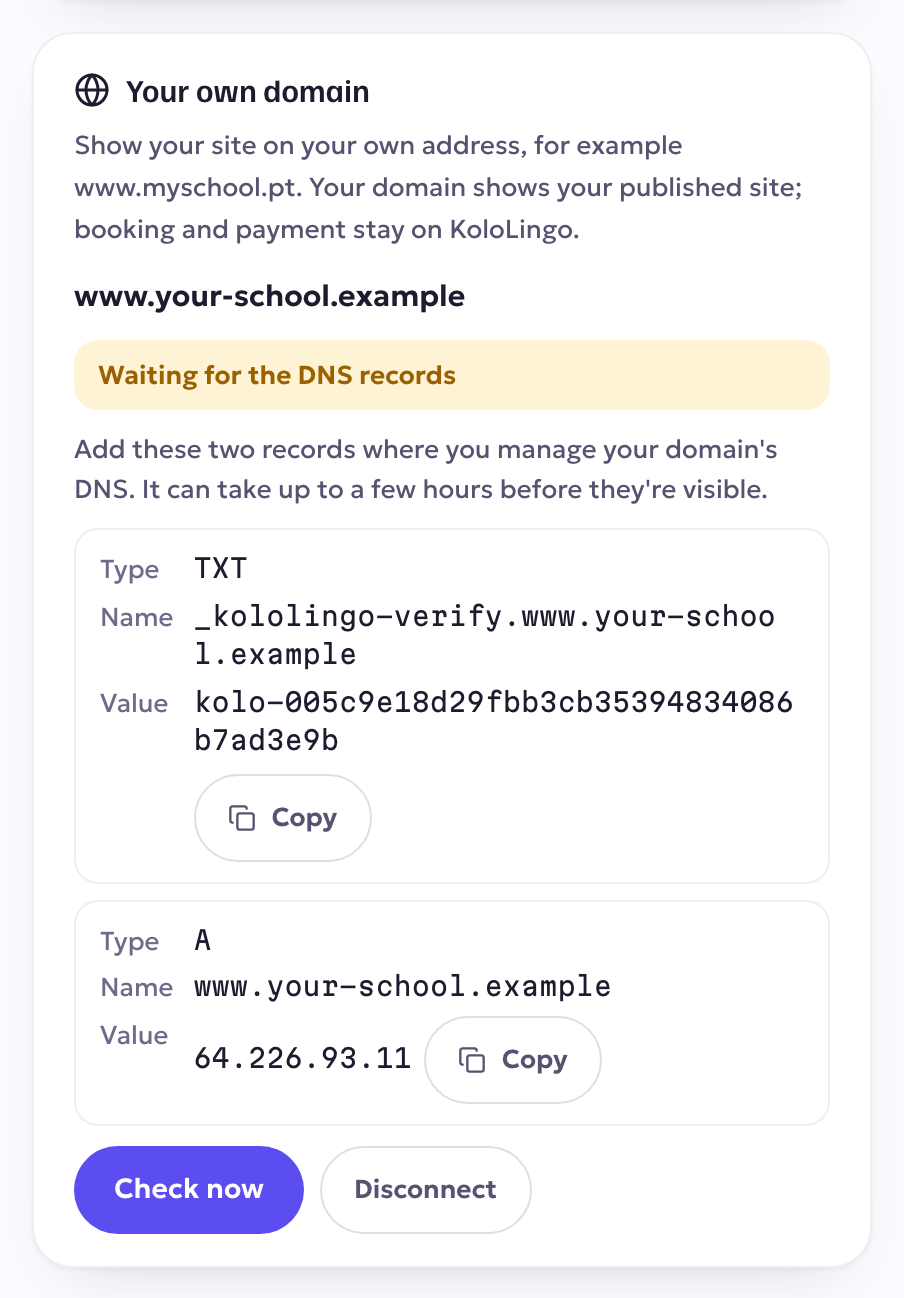
In Your own domain, type your address, for example www.yourschool.com, and press Connect domain. You get two records to add where you manage your domain (your registrar or DNS provider):
| Type | Name | Value |
|---|---|---|
| TXT | _kololingo-verify.your domain | the code we show you |
| A | your domain | the address we show you |
Then press Check now. When both records are found, we set up a secure certificate. That takes a few minutes, then your page is live on your domain. Booking, signing in and paying stay on kololingo.com.
Choose how your school runs
Your School page shows How your school runs, with the two options side by side:
- Partnership: no monthly fee. KoloLingo takes the payments, pays you and your teachers, and takes a commission.
- School plan: your own business on KoloLingo. Your students pay you directly through your own Stripe account, under your own terms, and you pay a monthly plan.
To switch, press Ask for… and add a note if you like. We'll set it up with you.
Download your records
Under Your school's records, download any of these as a spreadsheet: Students, Lessons and bookings, Remaining lesson credits, Payments and refunds and School share. Email addresses are included only for students who joined through your school's links. If your school ever closes, you can still download them for at least 90 days.