What’s newFor teachers
Add words and corrections to your students' notebooks
Your students now have a Notebook: their own place for the words, expressions and corrections from their lessons, reviewed with spaced repetition. You can add to it during the lesson or after it, and it goes straight into their notebook. Nothing for them to accept, nothing for them to copy.
During the lesson
Open the Notebook tab in the classroom (where Vocab used to be) and write one line:
Haus = houseadds a word with its meaning.ich bin gegangt -> ich bin gegangenadds a correction: what your student said, then the correct form.- A phrase with its meaning is saved as an expression.
Press Enter. It appears under In the notebook from this lesson for both of you, and in your student's notebook and review. Words you add also join the lesson's vocabulary, so the slides and exercises you generate use them.

After the lesson
Many teachers write things up afterwards. Open the lesson from Lessons: its Notebook section lists what you added, lets you add more, and lets you correct or remove an entry. If your student has changed their copy, it's theirs: your edit leaves it alone, and the page tells you so.
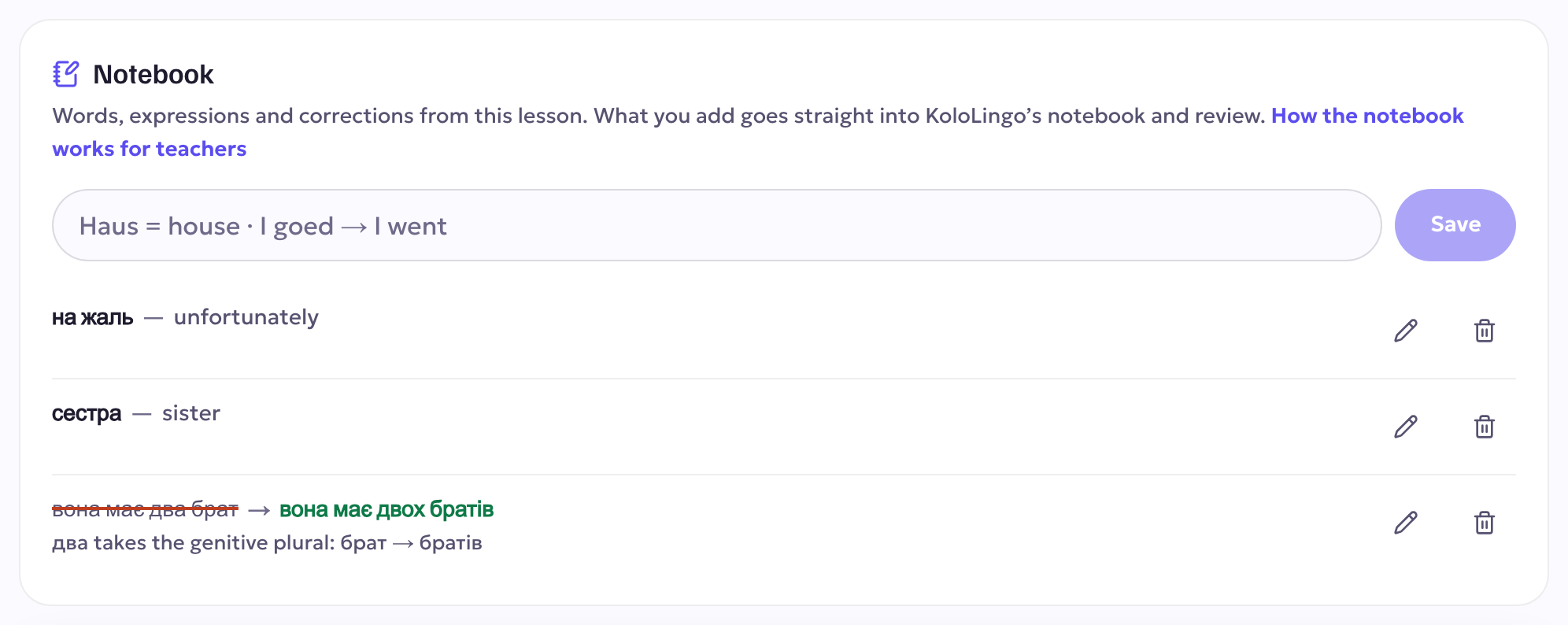
What your student sees
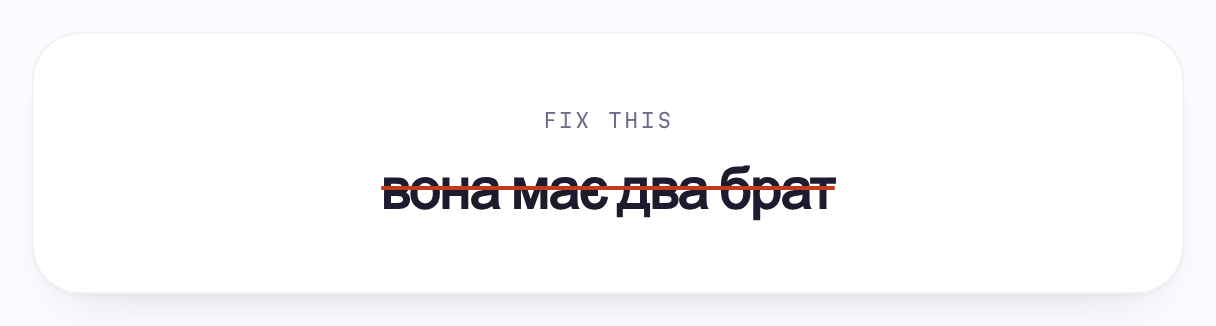
A correction shows what they said, struck through, next to the correct form, with your note on why. In their review it comes back as Fix this, so your student produces the correct form themselves. That is what makes a correction stick.
See what your student keeps missing
Before the lesson, on the lesson page and in the classroom's Notebook tab, you see the entries from your lessons that your student keeps forgetting in their reviews. Add them to this lesson's plan puts them on the lesson's word list, so you can go over them together.
Suggestions
Suggest fills in a meaning, or the why of a correction, for you to check before you add it. If the lesson was transcribed (you both agreed to recording), the lesson page also suggests corrections drafted from what your student said. Nothing reaches their notebook until you add it.
Good to know
- A co-student in the same lesson gets your entries too.
- You see only what you added. Your students' own notes stay private.
- One lesson can add up to 60 entries.