What’s newFor students
Your notebook: every word, expression and correction from your lessons
Video guide
Watch how it works, step by step, in the real app.
Your new Notebook keeps what you learn in one place: the words, the useful expressions and the corrections from your lessons. It's yours. Write in it any day, and your teachers can add to it during or after a lesson.
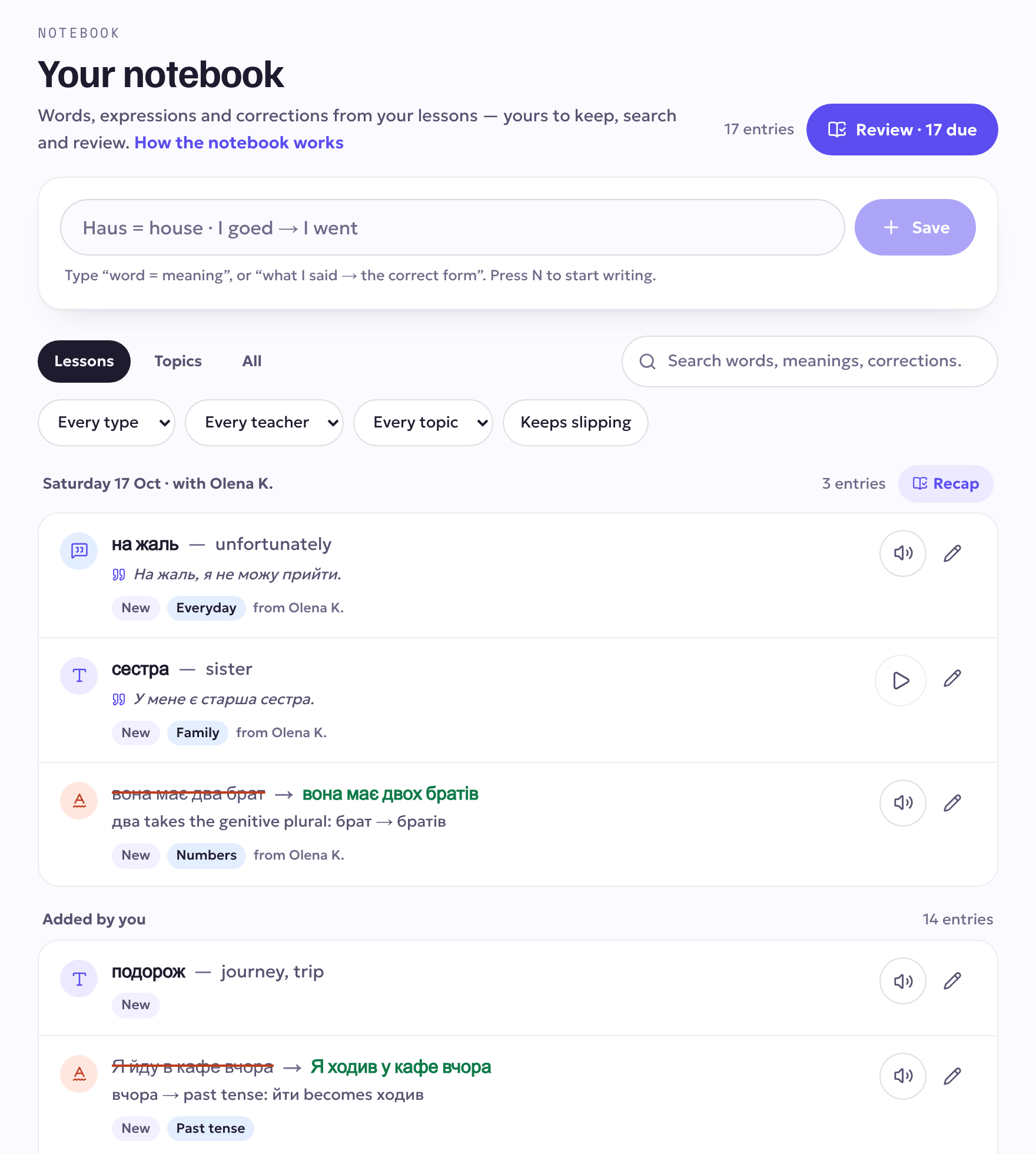
What's in it
- Words with their meaning, and an example sentence if you like.
- Expressions: phrases you want to be able to use.
- Corrections: what you said, struck through, next to the correct form, with a short note on why.
Each entry shows how well you remember it (New, Learning, Remembered), its topic, and which teacher added it.
Write something down
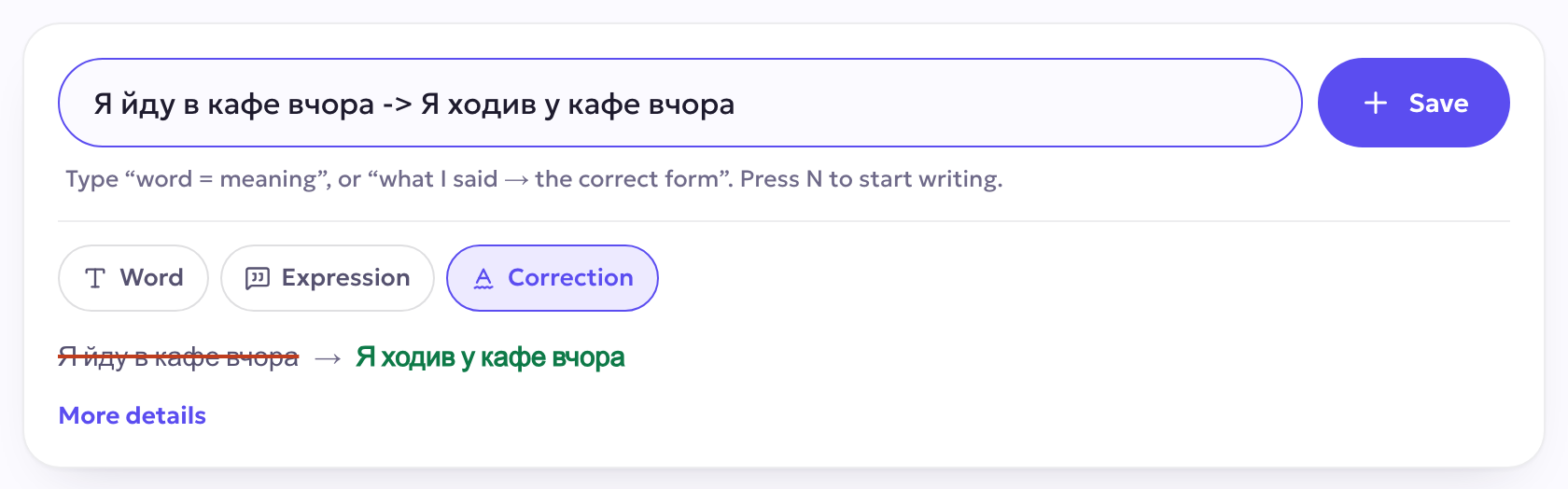
At the top of your notebook, type one line and press Enter:
Haus = housesaves a word with its meaning.I goed → I wentsaves a correction (->works too).- A word on its own asks you for its meaning.
You see the entry exactly as it will be saved before you save it. More details adds an example sentence and a topic. On a computer, press N to start writing from anywhere on the page.
From your lessons
When your teacher writes down a word or a correction during the lesson, it appears in the Notebook tab of the classroom and lands in your notebook straight away, filed under that lesson. Words your teacher prepared for the lesson are saved with one tap.
Find anything
Show your notebook by Lessons (newest first), by Topics, or All. Filter by type, teacher or topic, or search: the search also looks through meanings, example sentences and what you said in a correction.
Review
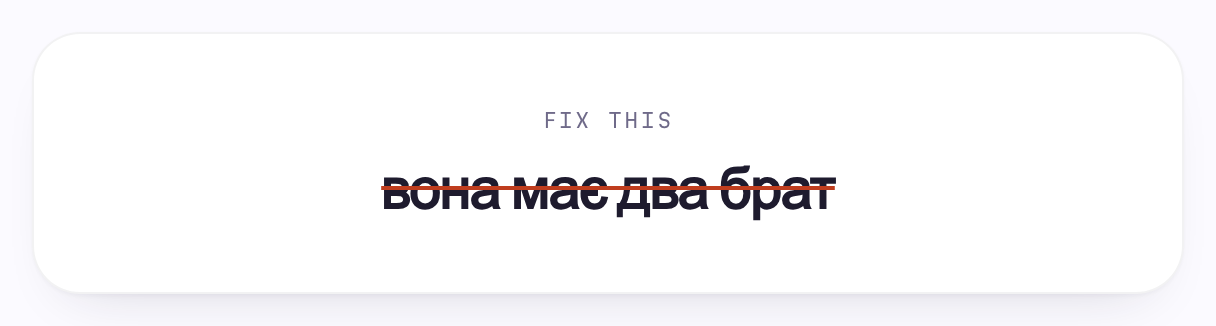
Everything in your notebook joins your daily review, scheduled so it comes back just before you would forget it. Corrections come back as Fix this: you see what you said, struck through, and say or type the correct form before you check.
Recap and warm up
After a lesson, Recap goes over what that lesson put in your notebook, whether it is due or not. You find it on each lesson in your notebook and on the screen when the lesson ends. Before your next lesson with the same teacher, your notebook shows a Warm up card, and the waiting room warms you up with your last lesson's entries.
The ones that keep slipping
Entries you keep forgetting are counted at the top of your notebook. Practise them drills just those, and the Keeps slipping filter shows them.
Help when you write
Not sure of a meaning? Suggest fills in the meaning and an example sentence. Check it, change it if you like, then save. For a correction, it suggests the one-line why.
Hear it
Tap the speaker on any entry. You hear your teacher's recording if there is one; otherwise a natural voice reads it, and it is kept for your reviews.
Where to find it
Notebook is in the menu at the top, and in your account menu on a phone. Tap the pencil on any entry to change it, record how it sounds, or delete it.